Best Smart Home Hub 2026: Matter, Zigbee and Z-Wave Hubs Compared
Homey Pro, Home Assistant Green, Aqara Hub M3, IKEA Dirigera, Hue Bridge Pro or Jeedom Atlas: which smart home hub should you choose in 2026? Zigbee, Z-Wave, Thread and Matter radios, local vs cloud control, ease of use and automation power compared.

Quick answer
What is the best smart home hub in 2026?
- View on Amazon →
Best overall
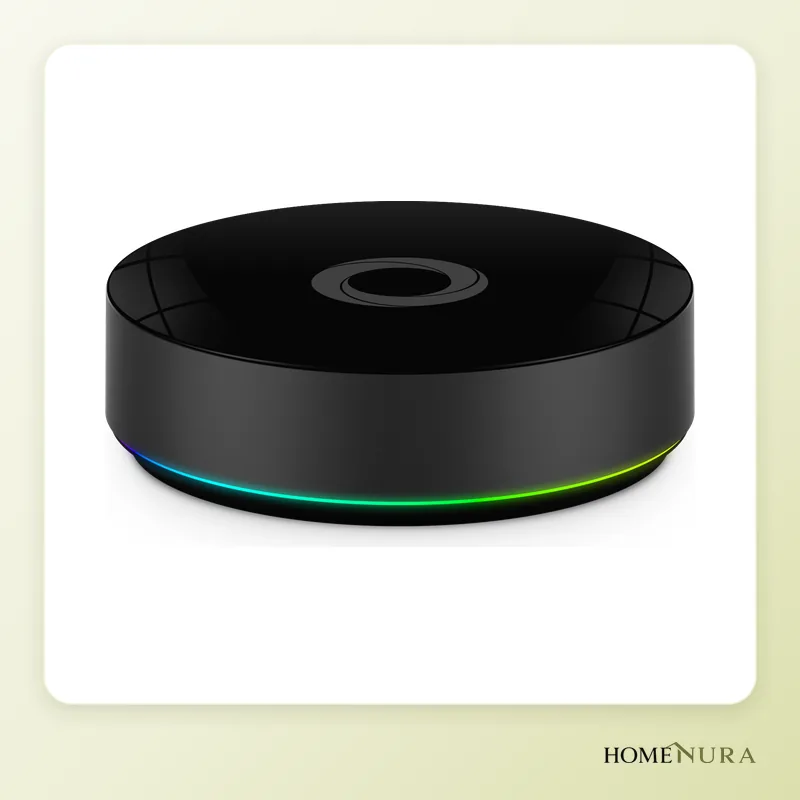
Homey Pro (Early 2023)
Built-in Zigbee, Z-Wave, Thread, Matter, infrared and 433 MHz, local automations and a simple app.
Photo: © Athom (Homey)
- View on Amazon →
Best value
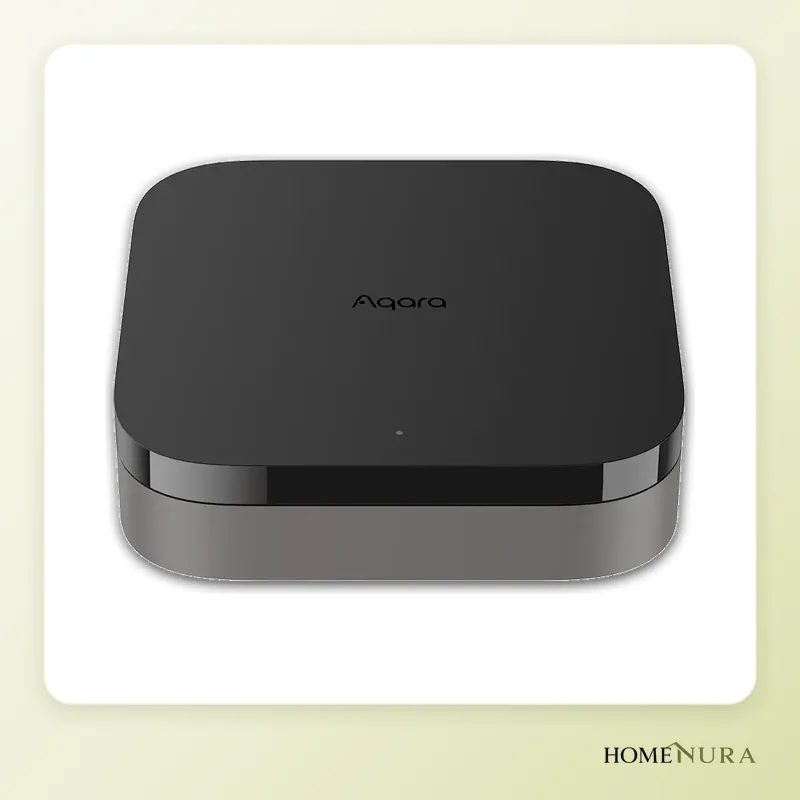
Aqara Hub M3
Matter controller, Thread border router, Zigbee, 360° infrared and PoE, with locally executed automations.
Photo: © Aqara
- View on Amazon →
Best for power users
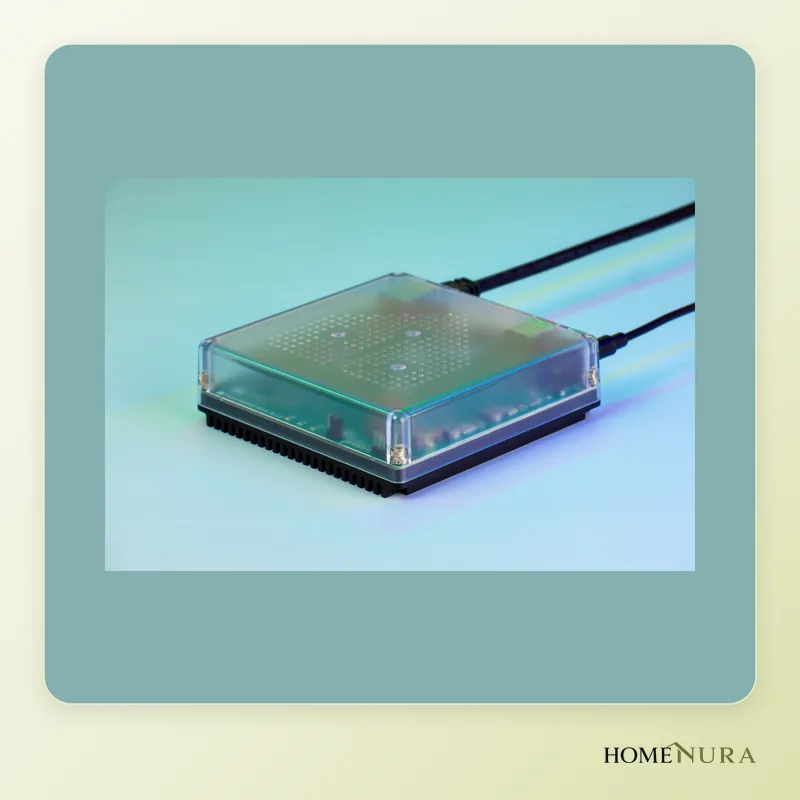
Home Assistant Green
Fully local open-source software with 2,000+ integrations; Zigbee/Thread and Z-Wave via ZBT-2 and ZWA-2 adapters.
Photo: © Nabu Casa / Home Assistant


As an Amazon Associate I earn from qualifying purchases. Amazon affiliate links: commission at no extra cost to you.
For most households, the best smart home hub in 2026 is the Homey Pro (Early 2023): it combines Zigbee, Z-Wave, Thread, Matter, infrared and 433 MHz in one box, runs locally and stays approachable for non-experts. If you want maximum power and open-source software, the Home Assistant Green is the one to beat; on a tighter budget, or if you already own Aqara gear, the Aqara Hub M3 is the smartest buy.
This comparison is based on manufacturer specifications, independent reviews in the specialist press and verified buyer reviews. It covers six hubs genuinely available in Europe, explains how the radio protocols differ and helps you avoid the most expensive mistakes. Models and versions sold in Canada can differ from the European ones: check that the listing is for a North American model, especially for Z-Wave. For the basics of Matter and Thread, see our guide Smart home: Matter and Thread in 2026.
What does a smart home hub do in 2026?
A smart home hub is the brain of the smart home. It talks to sensors, bulbs, plugs, thermostats and blinds, then runs your routines: switch everything off when you leave, turn on the heat based on the weather forecast, cut power to a plug if a water leak is detected. Without a hub, every brand forces its own app and limitations on you; with one, everything is controlled from a single place.
Matter has changed the picture: this shared standard lets devices from different brands work together. But Matter doesn't replace the hub. You still need a "controller" to orchestrate automations, and often a Thread border router for battery-powered wireless Matter devices. The hubs below fill these roles to very different degrees.
Models mentioned in this guide
- IKEA DirigeraView on Amazon →
- Philips Hue Bridge ProView on Amazon →
Photos: © Athom (Homey), © Aqara, © Nabu Casa / Home Assistant
As an Amazon Associate I earn from qualifying purchases. Amazon affiliate links: we earn a commission at no extra cost to you.
How to choose a smart home hub
Built-in radios
This is the number one criterion, because it decides which devices will work:
- Zigbee: the most widespread protocol for affordable sensors, bulbs and plugs (Aqara, IKEA, Philips Hue, Sonoff…).
- Z-Wave: common on in-wall modules, locks and blind controllers. It runs on its own frequency band, so there's little interference with Wi-Fi, but that band differs between Europe and North America: the hub and its devices must be made for the same region.
- Thread: the low-power mesh network behind many new Matter devices.
- Matter: the interoperability layer; a hub can be a "Matter controller" (it runs Matter devices) and/or a "Matter bridge" (it exposes its own devices to other platforms).
- Infrared and 433 MHz: handy for air conditioners, TVs or older radio-controlled blinds and plugs.
Local vs cloud
A hub that runs automations locally keeps working when the internet goes down, responds faster and sends less data to remote servers. Cloud-dependent systems are easier to set up, but stop working during an outage or if the service is shut down.
Ease of use vs power
The more open a hub is, the more time it takes to learn. Be honest with yourself: do you want a ready-made app, or are you happy to configure integrations, dashboards and scripts?
Automations
Check the logic on offer: simple "if… then…" rules, multiple conditions, variables, time windows, presence detection. That's where the day-to-day difference lies, especially for the energy savings covered in our smart home energy-saving guide.
Ecosystem and longevity
A hub depends on its maker's updates. Favour companies that ship regular fixes and document their protocols clearly.
The 6 best smart home hubs in 2026
1. Homey Pro (Early 2023) — best overall
Athom's Homey Pro (Early 2023) is the most versatile consumer hub on the market. Out of the box it includes dual-band Wi-Fi, Bluetooth Low Energy, Zigbee 3.0, Z-Wave, Thread, Matter, infrared and 433 MHz. The Thread radio was switched on by a free update, so Matter-over-Thread devices can join directly without an extra router.
Strengths: near-universal compatibility, local processing of automations, a polished app, easy visual "Flows" and a large catalogue of brand apps. Its discreet design fits into a living room.
Limitations: premium positioning, and some advanced features take time to master. The app ecosystem is broad but smaller than Home Assistant's.
Who it's for: households that want to centralize everything — Z-Wave and infrared included — without becoming system administrators.
2. Home Assistant Green — most powerful and open
The Home Assistant Green is a ready-to-use box running Home Assistant, the world's most popular open-source smart home platform, with more than 2,000 integrations. It connects over Ethernet and has no built-in smart home radios: you add the Home Assistant Connect ZBT-2 (Zigbee and Thread) and/or the Connect ZWA-2 (Z-Wave) over USB.
Strengths: fully local operation, unlimited automations and scripts, customizable dashboards, excellent energy monitoring and a huge community. The Home Assistant Cloud subscription is optional (easy remote access, voice assistants).
Limitations: a real learning curve; radio adapters add to the cost; advanced setup sometimes involves YAML files.
Who it's for: enthusiasts and tinkerers who want full control and need to integrate very diverse equipment (solar inverters, smart meters, EV chargers…).
3. Aqara Hub M3 — best value
The Aqara Hub M3 is a multi-protocol hub: Zigbee, Thread border router, Matter controller, dual-band Wi-Fi, Bluetooth and a 360° infrared blaster. It supports PoE (power over Ethernet) and has a built-in speaker for alerts. It also acts as a Matter bridge for Aqara Zigbee accessories, making them visible in Apple Home, Google Home, Alexa or SmartThings.
Strengths: locally executed automations, a lot of versatility for its tier, control of infrared air conditioners through Matter, simple setup.
Limitations: no Z-Wave; the Aqara Home app is built mainly around the brand's own ecosystem.
Who it's for: people starting from scratch with Aqara sensors, or anyone who wants a reliable Matter bridge to Apple, Google or Amazon.
4. IKEA Dirigera — simplest entry-level hub
The IKEA Dirigera hub manages IKEA's Zigbee products and works as a Matter bridge. Since the November 2025 update it also acts as a Matter controller and Thread border router, which gets it ready for IKEA's new Matter-over-Thread lineup.
Strengths: very simple IKEA Home smart app, setup in minutes, entry-level pricing.
Limitations: basic automations, no Z-Wave or infrared, compatibility centred on IKEA.
Who it's for: beginners with IKEA bulbs, blinds and remotes.
5. Philips Hue Bridge Pro — the lighting benchmark
The Philips Hue Bridge Pro isn't a general-purpose hub but the most capable lighting bridge around. It runs up to 150 lights and 50 accessories over Zigbee, connects over Ethernet or Wi-Fi and exposes its lights to Matter platforms. MotionAware turns compatible Hue lights into motion sensors by analyzing changes in the radio signal.
Strengths: reliability, high capacity, rich light scenes, compatibility with Apple Home, Alexa, Google Home and SmartThings.
Limitations: limited to Hue lighting and accessories; it doesn't replace a general-purpose hub.
Who it's for: homes with lots of Hue lights. To go further, see our smart lighting comparison.
6. Jeedom Atlas — the French open-source box
The Jeedom Atlas runs Jeedom, open-source software developed in France. You choose its built-in radio when you buy it: Zigbee, Z-Wave or EnOcean. It has Gigabit Ethernet, dual-band Wi-Fi, Bluetooth 5.0, 4 GB of RAM, 32 GB of eMMC storage and USB ports for additional radio sticks.
Strengths: local operation with no mandatory cloud, many plugins (some paid), good support for equipment common in France, a service pack included at the start.
Limitations: only one smart home radio out of the box, a less modern interface, more technical setup than Homey.
Who it's for: users who want an open platform, particularly for EnOcean or Z-Wave installations.
Smart home hub comparison table
| Model | Built-in radios | Matter / Thread | Operation | Best for |
|---|---|---|---|---|
| Homey Pro (Early 2023) | Zigbee, Z-Wave, IR, 433 MHz, BLE, Wi-Fi | Matter controller, built-in Thread | Local | Centralizing everything simply |
| Home Assistant Green | None (optional ZBT-2 / ZWA-2 adapters) | Yes with ZBT-2 | Local, open source | Enthusiasts, maximum power |
| Aqara Hub M3 | Zigbee, IR, BLE, Wi-Fi, PoE | Matter controller, Thread border router | Local | Aqara ecosystem, Matter bridge |
| IKEA Dirigera | Zigbee | Matter controller, Thread border router | Local + app | IKEA beginners |
| Philips Hue Bridge Pro | Zigbee | Matter bridge | Local | Large Hue setups |
| Jeedom Atlas | Zigbee, Z-Wave or EnOcean (your choice) | Depends on plugins | Local, open source | Open, flexible automation |
What about an Apple TV or HomePod as a hub?
If your household lives in the Apple ecosystem, the Apple TV 4K (Wi-Fi + Ethernet version) and the HomePod mini act as home hubs: they are Thread border routers and Matter controllers, and they run automations from the Home app. It's an elegant option for Matter and HomeKit devices, but it doesn't handle Zigbee or Z-Wave directly and offers less fine-grained automation than a dedicated hub. A common setup keeps the Apple TV for Thread and voice control, and leaves the advanced logic to Homey or Home Assistant.
Mistakes to avoid
- Buying a hub without checking your existing devices: list your sensors and modules (Zigbee, Z-Wave, Wi-Fi, 433 MHz) first. A Z-Wave setup rules out Aqara, IKEA and Hue right away.
- Creating several separate Thread networks: border routers from different brands can form distinct networks. Make sure your controllers share Thread credentials.
- Assuming Matter covers everything: not every device category is supported by every platform yet, and some features remain exclusive to the manufacturer's app.
- Hiding the hub in a metal cabinet: 2.4 GHz and Z-Wave radios need a central, open location, ideally away from the Wi-Fi router.
- Skipping backups: on Home Assistant or Jeedom, schedule regular backups and store them somewhere other than the hub itself.
Installation and good practice
Connect the hub over Ethernet where possible for a stable link. Add plug-in and hardwired devices first (smart plugs, in-wall modules): they relay the Zigbee, Z-Wave or Thread mesh and extend the range of battery-powered sensors. For modules installed in an electrical panel or behind a wall switch, hire a licensed electrician and always turn off the power at the breaker. Turn on two-factor authentication for linked accounts and install firmware updates as soon as they're available.
Verdict: which smart home hub should you buy?
The Homey Pro (Early 2023) is the best hub for most households thanks to its many radios and local execution. The Home Assistant Green is hard to beat for power if you're willing to learn. The Aqara Hub M3 offers the best balance of features and budget, while the IKEA Dirigera is enough to get started. The Philips Hue Bridge Pro remains the go-to for a large Hue lighting setup, and the Jeedom Atlas will appeal to open-source fans. Browse every model in our smart home hubs section.
Frequently Asked Questions
Do you still need a smart home hub with Matter?
Which smart home hub supports both Zigbee and Z-Wave?
Does a smart home hub work without internet?
Home Assistant or Homey: which should you choose?
Can you use an Apple TV as a smart home hub?
Where should you place a smart home hub for good range?
Article from our comprehensive guide
Energy & Smart Home →Our recommendations
- IKEA DirigeraView on Amazon →
- Philips Hue Bridge ProView on Amazon →
Photos: © Athom (Homey), © Aqara, © Nabu Casa / Home Assistant
As an Amazon Associate I earn from qualifying purchases. Amazon affiliate links: we earn a commission at no extra cost to you.


