Smart Lighting 2026: Philips Hue vs IKEA KAJPLATS vs Tapo vs Govee Compared
Which smart lighting should you choose in 2026? Philips Hue, IKEA KAJPLATS, TP-Link Tapo L535E and Govee compared: hub or Wi-Fi, Matter and Thread, bulbs, LED strips and TV backlighting.

Quick answer
What is the best smart lighting in 2026?
- View on Amazon →
Best overall
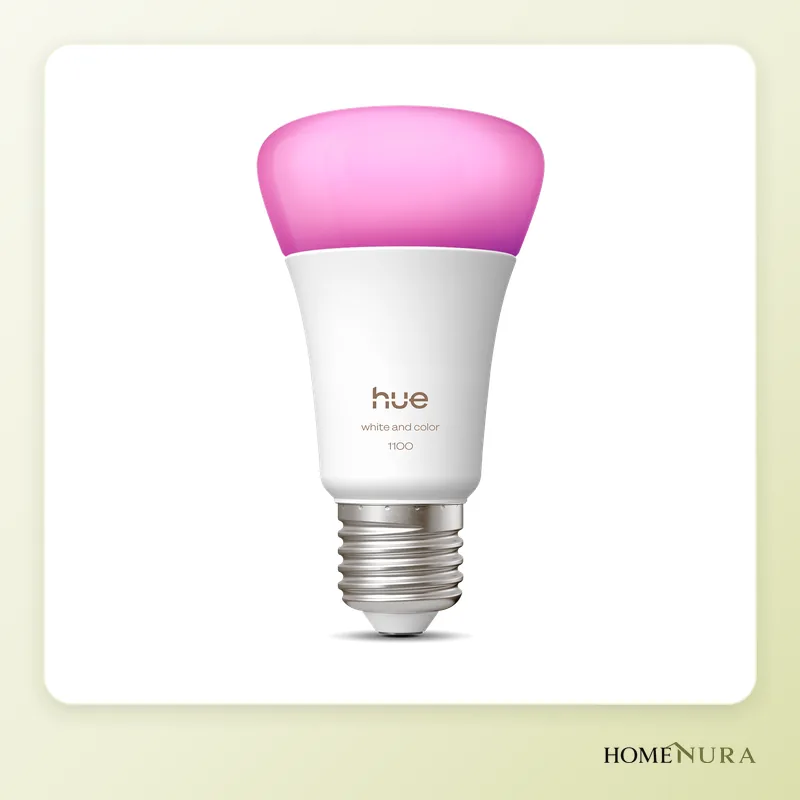
Philips Hue White and Color Ambiance E27
Up to 1,100 lm, millions of colours and the most complete Hue ecosystem: with the Hue Bridge you get advanced automations and Matter for Apple, Google and Alexa.
Photo: © Philips Hue
- View on Amazon →
Best without a hub
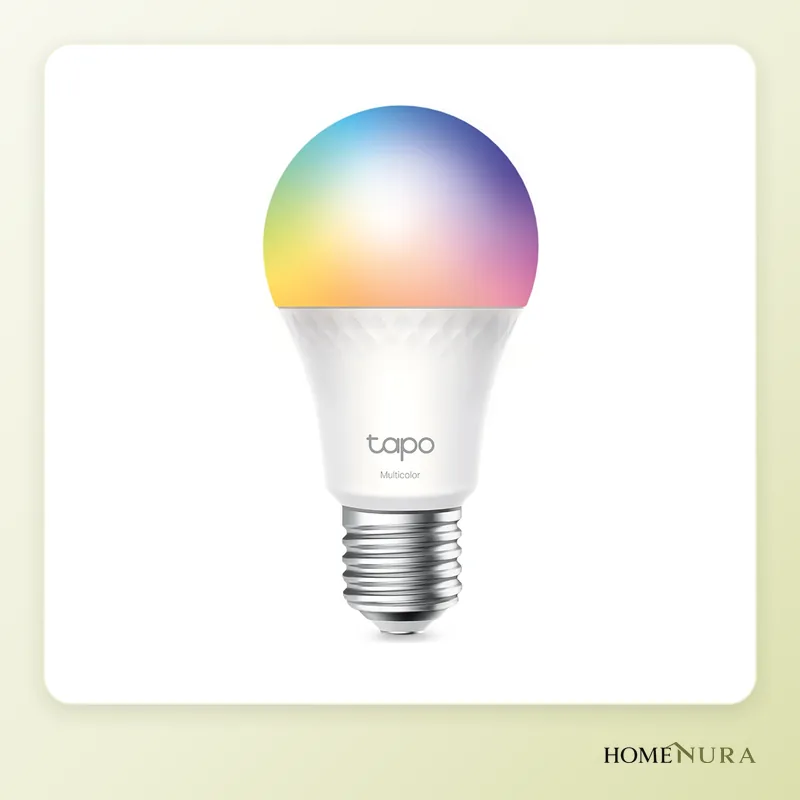
TP-Link Tapo L535E
A 1,055 lm colour E27 bulb on direct Wi-Fi with Matter support: the simplest, most affordable way to make a few lights smart without a hub.
Photo: © TP-Link
- View on Amazon →
Best for RGB ambience
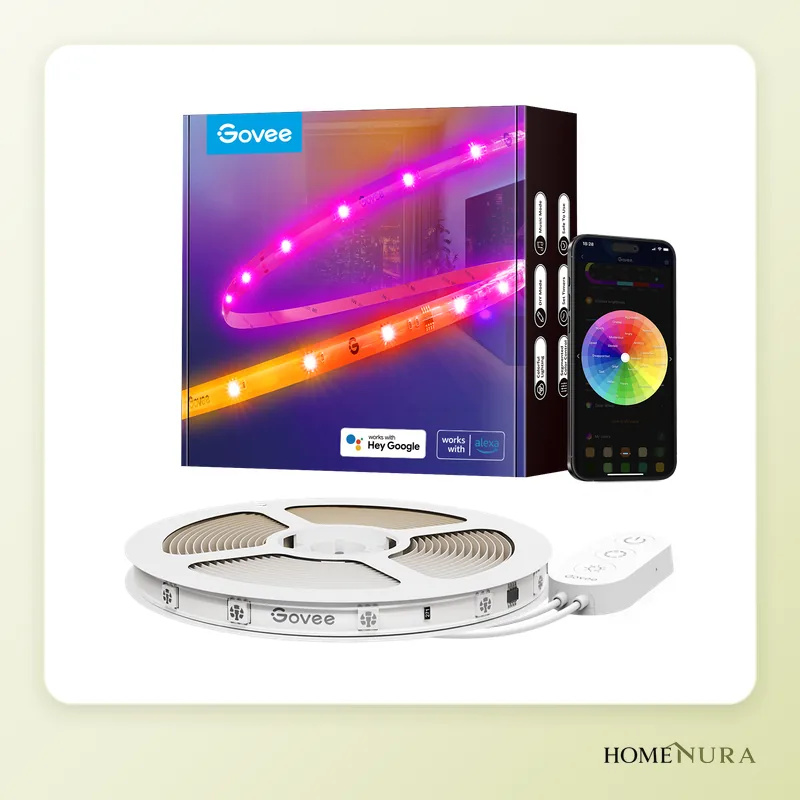
Govee RGBIC LED Strip H619A
A 5 m RGBIC strip with independently coloured segments, Wi-Fi and Bluetooth, and Alexa and Google support: the most spectacular for gaming or decor.
Photo: © Govee


As an Amazon Associate I earn from qualifying purchases. Amazon affiliate links: commission at no extra cost to you.
For most homes, the best smart lighting in 2026 is the Philips Hue White and Color Ambiance E27 bulb paired with the Hue Bridge: it's the most complete and most reliable ecosystem, and the best integrated with Alexa, Google Home and Apple Home. If you only want a few bulbs and no hub, the Wi-Fi, Matter-compatible TP-Link Tapo L535E is the simplest option, and for colourful ambient light behind a TV or desk, the Govee RGBIC LED Strip H619A is still the most striking.
The market has shifted a lot over the past year: IKEA replaced its TRÅDFRI bulb range with KAJPLATS, Philips launched the Hue Bridge Pro and Matter has gone mainstream. This comparison is based on manufacturer specifications, published independent reviews and verified buyer feedback. To browse every product in the category, see our smart lighting page.
How to Choose Smart Lighting
Hub or no hub
This is the first decision. Hub-based systems (Philips Hue with the Hue Bridge, IKEA with DIRIGERA) connect bulbs over Zigbee or Thread, two low-power mesh networks that keep the load off your router and keep working locally if the internet goes down. Wi-Fi bulbs (TP-Link Tapo, Govee) connect straight to your router: setup is instant, but every bulb takes up a spot on your home network. For one to five bulbs, Wi-Fi is perfectly fine; for a whole house, a hub becomes the more convenient choice.
Matter and Thread
Matter is the shared standard backed by Apple, Google, Amazon and Samsung. A Matter-compatible bulb can be controlled from Apple Home, Google Home or Alexa without a brand-specific app. Keep in mind that Matter isn't a radio protocol: it runs over Wi-Fi or Thread. A Matter-over-Thread bulb needs a Thread border router (some HomePod, Apple TV and Nest speakers, or the IKEA DIRIGERA hub since its update). For more detail, read our Matter and Thread guide.
Base, brightness and type of light
Start by checking which base your light fixtures take, then the brightness in lumens: around 800 lm matches an old 60 W bulb, while 1,055 to 1,100 lm is closer to a 75 W. Standard North American fixtures use the E26 screw base (E12 for candelabra), while the bulbs in this comparison are European E27 models. Models and versions sold in Canada can differ from the European ones: check that the listing is for a 120 V North American model. Then choose between tunable white (warm to cool white, ideal for everyday lighting) and colour (for ambience). Colour bulbs cost more, so it often makes sense to keep them for the living room and bedrooms.
Ecosystem and automations
A good app makes all the difference: scenes, gradual wake-up, lights on at sunset, vacation mode that simulates someone being home. If you use Home Assistant, prefer systems that run locally (Zigbee, Thread or Matter) over those that depend on the manufacturer's cloud.
Models mentioned in this guide
- IKEA KAJPLATS E27 CWS globe 1055lmView on Amazon →
- Philips Hue Ambiance Gradient Lightstrip 2mView on Amazon →
Photos: © Philips Hue, © TP-Link, © Govee
As an Amazon Associate I earn from qualifying purchases. Amazon affiliate links: we earn a commission at no extra cost to you.
The Best Smart Lighting in 2026
1. Philips Hue White and Color Ambiance E27: the benchmark
Strengths: Philips Hue's colour bulb delivers up to 1,100 lumens, tunable white from 2,000 to 6,500 K and millions of colours. It runs on Zigbee with the Hue Bridge and on Bluetooth for limited use without a hub. The Hue ecosystem is the broadest on the market: E27, E14 and GU10 bulbs, light strips, lamps, outdoor lighting, switches and motion sensors. With the Bridge, all your lights are exposed via Matter to Apple Home, Google Home and Alexa.
Limitations: it's the most expensive range in this comparison, and the Bridge is essential for advanced automations. The standard Hue Bridge handles up to 50 lights; beyond that you need the Hue Bridge Pro, rated for more than 150 lights and over 50 accessories. Note that the "Hue Labs" mentioned in many guides shut down in June 2024; its best formulas were built straight into the Hue app.
Best for: anyone who wants to equip a whole home with a durable, reliable system that's rich in automations.
2. TP-Link Tapo L535E: the best bulb without a hub
Strengths: this colour E27 bulb connects directly over Wi-Fi and supports Matter. It's rated at 1,055 lumens, with tunable white from 2,500 to 6,500 K and millions of colours. Pairing takes a few minutes in the Tapo app, or directly from Apple Home, Google Home or Alexa thanks to Matter.
Limitations: like any Wi-Fi bulb it relies on your router, and dozens of Wi-Fi bulbs can crowd a home network. Watch the model number: the widely sold, cheaper Tapo L530E doesn't support Matter natively; it works with the Tapo app, Alexa and Google Assistant.
Best for: renters, small apartments and anyone who wants to make a few lamps smart without buying a hub.
3. Govee RGBIC LED Strip H619A: the most spectacular ambience
Strengths: this 5-metre strip uses RGBIC technology, which shows several colours at once on different segments, giving gradients and animated effects a standard RGB strip can't produce. It's controlled over Wi-Fi and Bluetooth, offers music sync, plenty of scene modes and a protective coating, and works with Alexa and Google Assistant.
Limitations: Govee is designed for ambient light, not as a room's main light. The app relies heavily on the cloud, and Apple Home integration isn't native on this model.
Best for: gaming setups, TV stands, home offices and anyone after a bold decorative effect.
4. IKEA KAJPLATS E27 CWS globe 1055lm: the budget choice with a hub
Strengths: KAJPLATS has replaced the TRÅDFRI bulb range since January 1, 2026. This colour and tunable-white version delivers 1,055 lumens and has Matter-over-Thread built in: it can join a compatible Thread border router directly, or the IKEA DIRIGERA hub, which became a Matter controller and Thread border router through a free software update. IKEA remains one of the most affordable brands for equipping a whole home.
Limitations: the range is narrower than Hue's, and some users report trouble mixing the new KAJPLATS bulbs with older TRÅDFRI remotes. TRÅDFRI bulbs are no longer sold, although those already installed keep working in the IKEA Home smart app.
Best for: tight budgets that want a local mesh network and Matter support across lots of lights.
5. Philips Hue Ambiance Gradient Lightstrip 2m: the premium strip
Strengths: this strip shows several colours at once along its length, with very smooth gradients. It's 2 metres long, can be extended up to 10 metres and can be cut to length. It fits into Hue scenes and automations and can be voice-controlled through Alexa, Google Home and Apple Home.
Limitations: it's a high-end, indoor-only product, and it makes the most sense within a Hue setup with a Bridge.
Best for: Hue users who want elegant indirect lighting under furniture, behind a headboard or along a ceiling.
6. Govee Envisual TV Backlight T2: TV sync
Strengths: this kit mounts behind the TV and uses a dual camera to reproduce the screen's colours on the wall in real time. Other Govee lights without a camera can sync with it through the DreamView feature in the Govee Home app. It works with Alexa and Google Assistant.
Limitations: the camera can only be mounted on top of the TV, and the kit isn't compatible with curved screens. It's an ambient-light accessory, not room lighting.
Best for: movie and gaming fans who want maximum immersion without a separate sync box.
Comparison Table
| Model | Type | Connectivity | Hub needed | Matter | Best for |
|---|---|---|---|---|---|
| Philips Hue White and Color Ambiance E27 | Colour bulb, 1,100 lm | Zigbee + Bluetooth | Recommended (Hue Bridge) | Yes, via the Bridge | Whole home, automations |
| TP-Link Tapo L535E | Colour bulb, 1,055 lm | Wi-Fi | No | Yes, native | A few bulbs, no hub |
| Govee RGBIC LED Strip H619A | 5 m RGBIC strip | Wi-Fi + Bluetooth | No | No | Ambient light, gaming, decor |
| IKEA KAJPLATS E27 CWS globe 1055lm | Colour bulb, 1,055 lm | Thread (Matter) + Zigbee | DIRIGERA or Thread router | Yes, native | Lots of lights on a budget |
| Philips Hue Ambiance Gradient Lightstrip 2m | Gradient strip, extendable to 10 m | Zigbee + Bluetooth | Recommended (Hue Bridge) | Yes, via the Bridge | Premium indirect lighting |
| Govee Envisual TV Backlight T2 | Camera TV backlight | Wi-Fi + Bluetooth | No | No | Movies and gaming |
What Changed in 2026
- IKEA: TRÅDFRI bulbs were replaced by Matter-over-Thread KAJPLATS bulbs. The DIRIGERA hub is now a Matter controller and Thread border router.
- Philips Hue: the Hue Bridge Pro joins the standard Bridge for large installations, and the former Hue Labs features now live in the app.
- TP-Link Tapo: Matter is available on specific models such as the L535E, not across the whole range. Look for the Matter logo on the box before buying.
- Govee: the brand keeps focusing on RGBIC ambient lighting, wall panels such as the Glide Hexa Pro, and TV backlighting.
Mistakes to Avoid
- Turning lights off at the wall switch: a smart bulb has to stay powered to respond to the app or your voice. Use a wireless switch or a compatible remote instead.
- Using a standard dimmer: smart bulbs handle dimming themselves; a traditional wall dimmer can cause flicker or damage them.
- Running too many ecosystems: juggling four apps quickly gets tiresome. Pick one main system and use Matter to bring the rest into Apple Home, Google Home or Alexa.
- Mixing up similar models: the Tapo L530E and L535E, or older TRÅDFRI and new KAJPLATS bulbs, don't offer the same compatibility.
- Ignoring brightness: a 470 lm bulb won't replace an old 75 W bulb in a main room.
Installation and Safety
Swapping a bulb takes no special skills: turn off the power, let the old bulb cool, screw in the new one and follow the pairing steps in the app. Check that the bulb suits the fixture, especially in enclosed ceiling lights or damp rooms, by following the manufacturer's guidance. For LED strips, clean and dry the surface before applying the adhesive, use only the supplied power adapter and never cover the power supply. Any change to your home's wiring (pot lights, switches, new fixtures) should be done by a licensed electrician; electrical work rules are set by each province and territory. Finally, to measure your lamps' energy use or control a regular lamp, a smart plug is a useful addition: see our smart plug comparison.
Our Verdict
To equip a whole home for the long term, the Philips Hue White and Color Ambiance E27 with the Hue Bridge remains the best overall choice: light quality, breadth of range and reliable automations. To make a few lamps smart without a hub, the TP-Link Tapo L535E is the best compromise, thanks to direct Wi-Fi and Matter. For colourful ambient light, the Govee RGBIC LED Strip H619A is the most spectacular. Tight budgets with lots of lights to cover should look at IKEA KAJPLATS with DIRIGERA, and movie fans at the Govee Envisual TV Backlight T2.
Frequently Asked Questions
Do you need a hub for smart lighting?
What is the difference between the Tapo L530E and the Tapo L535E?
Are IKEA TRÅDFRI bulbs still sold?
Does smart lighting work without internet?
Can you mix bulbs from different brands?
Does a smart bulb use power on standby?
Article from our comprehensive guide
Energy & Smart Home →Our recommendations
- IKEA KAJPLATS E27 CWS globe 1055lmView on Amazon →
- Philips Hue Ambiance Gradient Lightstrip 2mView on Amazon →
Photos: © Philips Hue, © TP-Link, © Govee
As an Amazon Associate I earn from qualifying purchases. Amazon affiliate links: we earn a commission at no extra cost to you.


