Best Smart Light Switch 2026: The 6 Top Models Compared
Aqara H2, Legrand Céliane, BTicino Living Now, Shelly 1PM Gen4, Hue Tap Dial and IKEA RODRET: which smart switch to choose, with or without neutral, on Zigbee, Wi-Fi or Matter.

Quick answer
What is the best smart light switch in 2026?
- View on Amazon →
Best overall
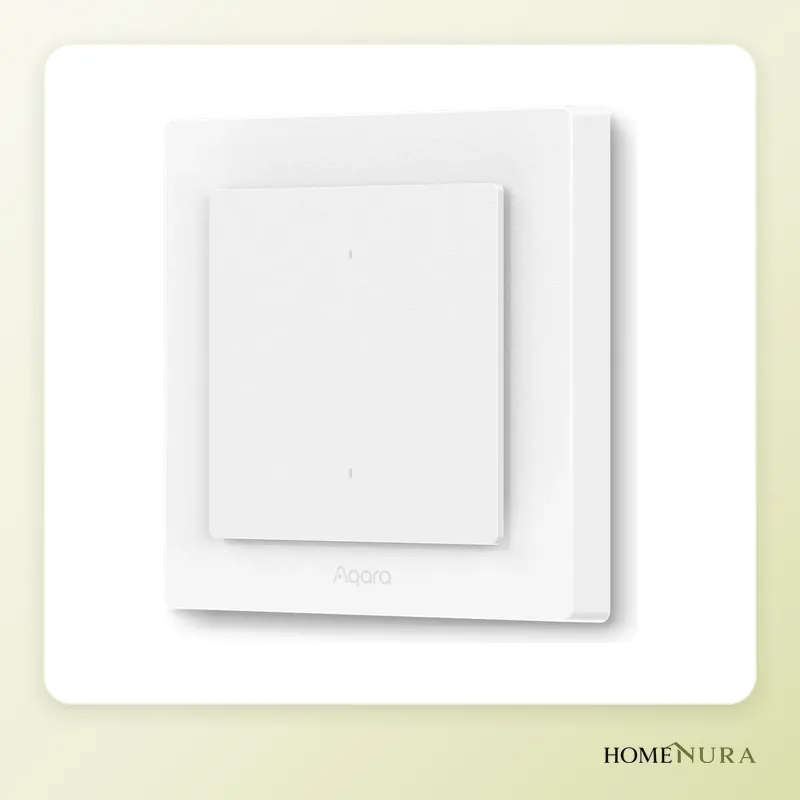
Aqara Light Switch H2 EU
Works with or without a neutral, supports Zigbee and Matter over Thread, and joins Apple Home, Google Home, Alexa and Home Assistant.
Photo: © Aqara
- View on Amazon →
Best value
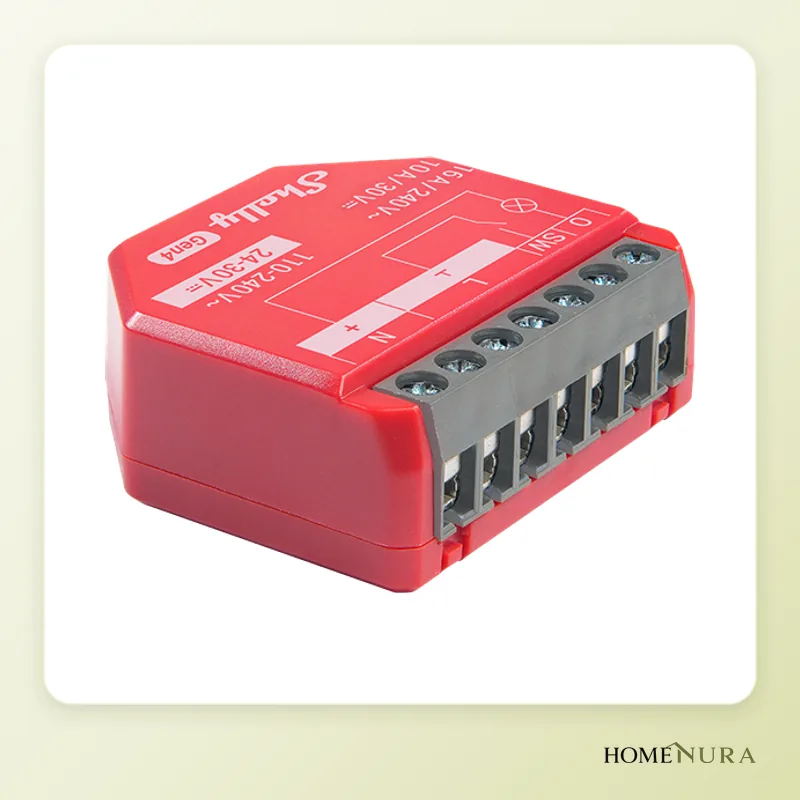
Shelly 1PM Gen4
A 16 A relay hidden behind your existing switches, with energy monitoring, Wi-Fi, Zigbee and Matter and no hub needed (neutral required).
Photo: © Shelly (Allterco Robotics)
- View on Amazon →
Best for smart bulbs
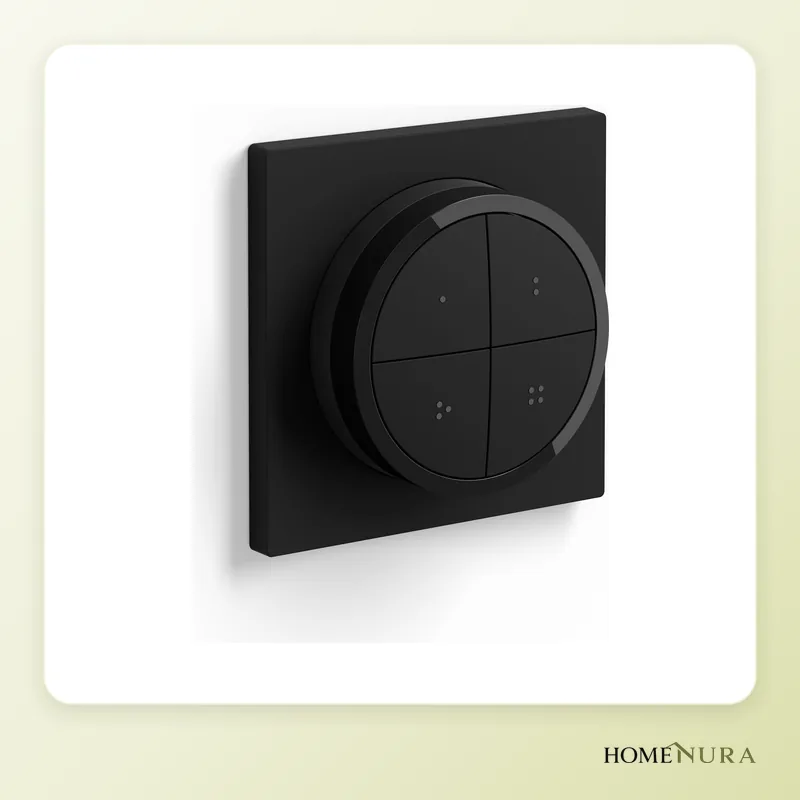
Philips Hue Tap Dial Switch
Battery-powered control with no wiring, four scene buttons and a dimming dial to run your Hue bulbs.
Photo: © Philips Hue


As an Amazon Associate I earn from qualifying purchases. Amazon affiliate links: commission at no extra cost to you.
In 2026, the best smart light switch in this comparison is the Aqara Light Switch H2 EU: it works with or without a neutral wire, speaks both Zigbee and Matter over Thread, and fits into Apple Home, Google Home, Alexa and Home Assistant. If you'd rather keep your existing switches, a Shelly 1PM Gen4 relay hidden behind them is the most versatile option, and if your bulbs are already smart, a battery-powered wall remote such as the Philips Hue Tap Dial Switch needs no wiring at all.
This comparison is based on manufacturer specifications, published independent reviews and verified buyer feedback. It covers the three main families: smart wall switches, in-wall relay modules and wireless remotes. Several of these models are built for European wiring. Models and versions sold in Canada can differ from the European ones: check that the listing is for a 120 V North American model. To browse every model, visit our smart light switches section.
How to choose a smart light switch
Before you look at brands, five questions rule out most bad purchases.
- Is there a neutral wire in the electrical box? This is the number one criterion. Many older homes only run the hot (line) wire and the load wire to the switch. In that case, you need a "no-neutral" model.
- Which wireless protocol? Zigbee, Wi-Fi, Thread and Matter have different requirements (hub, border router, power draw).
- Are your bulbs regular or smart? With regular bulbs, the switch has to cut the power. With smart bulbs, it must never leave them without power.
- What load? No-neutral models have a minimum load: below it, some LEDs flicker or glow faintly. A compensator (or "bypass") often solves this.
- Which ecosystem? Apple Home, Google Home, Alexa, Home Assistant or the manufacturer's app: check compatibility before you buy.
Models mentioned in this guide
- Legrand Céliane with NetatmoView on Amazon →
- BTicino Living Now with NetatmoView on Amazon →
Photos: © Aqara, © Shelly (Allterco Robotics), © Philips Hue
As an Amazon Associate I earn from qualifying purchases. Amazon affiliate links: we earn a commission at no extra cost to you.
Neutral or no neutral: what really changes
A smart switch must stay powered at all times to listen for wireless commands. With a neutral, it draws power directly between the hot and neutral wires: it runs reliably, and features such as energy monitoring or overload protection become possible. Without a neutral, the module trickles a tiny current through the bulb itself. That works well with a large enough load, but it can cause flicker or a faint glow with low-wattage LEDs.
To check, turn off the breaker, remove the switch and look at the wires: white (neutral) wires in the box that aren't connected to the switch are a good sign, although colours aren't always reliable in older wiring. If in doubt, have a licensed electrician take a look.
Zigbee, Wi-Fi, Thread or Matter: which protocol?
- Zigbee: a mature, low-power mesh protocol. It needs a hub (Aqara, Philips Hue, IKEA DIRIGERA, Netatmo gateway, Home Assistant with a Zigbee dongle). Hardwired and plug-in devices strengthen the network.
- Wi-Fi: no hub, and you set it up straight from your phone. On the other hand, power draw is higher and Wi-Fi modules generally need a neutral. A lot of Wi-Fi devices also put a load on your router.
- Thread: a low-power mesh network like Zigbee, but IP-based. It needs a "Thread border router", which is built into some recent smart speakers and smart home hubs.
- Matter: not a radio but a common standard that runs over Thread or Wi-Fi. A Matter device can join several ecosystems at once, which reduces the risk of getting locked into a single brand.
For more on these standards, read our guide to Matter and Thread in the smart home in 2026.
The 6 best smart light switches in 2026
1. Aqara Light Switch H2 EU — best overall
Launched in Europe in early 2025, the Aqara Light Switch H2 EU is a European-format wall switch that supports wiring with or without a neutral. It combines Zigbee and Matter over Thread, so it can join Apple Home, Google Home, Amazon Alexa or Home Assistant. It comes in a 2-button (1-channel) or 4-button (2-channel) version.
Strengths: dual Zigbee and Matter support, no-neutral operation, energy monitoring plus overload and overheat protection when a neutral is connected, spare buttons you can use for scenes.
Limitations: Matter over Thread requires a Thread border router; on Zigbee, you need an Aqara or compatible hub. The design doesn't match existing switch and outlet styles.
Best for: anyone who wants a modern switch that's open to every ecosystem, including in homes without a neutral.
2. Legrand Céliane with Netatmo — the most polished integration in France
The Céliane with Netatmo line uses the design of Legrand's Céliane switches and outlets, which are very common in France. The no-neutral smart switches come with a dimming option (5 to 125 W, according to Legrand) or as an on/off version rated up to 200 W, supplied with a compensator for small LED loads. They talk Zigbee to the Netatmo gateway and are controlled through the Home + Control app, with Alexa, Google Assistant and Apple HomeKit.
Strengths: looks identical to the rest of a Céliane installation, no neutral required, compensator included, works with all three major assistants.
Limitations: Netatmo gateway required, higher entry cost than generic options, less relevant if your home doesn't already have Céliane devices.
Best for: renovations and new builds using Céliane, and people who prefer a solution installed by an electrician.
3. BTicino Living Now with Netatmo — the equivalent for the Italian market
Part of the same group as Legrand, BTicino offers the Living Now with Netatmo line, which is widely used in Italy. The no-neutral smart switch with a dimming option (reference K4413CM2) handles loads from 5 to 125 W; a with-neutral version also exists. The radio is Zigbee 3.0, and compatibility covers Apple HomeKit, Google Assistant and Amazon Alexa through the Home + Control app.
Strengths: clean design, with- or without-neutral versions, consistent ecosystem with outlets and shutter controls from the same line.
Limitations: designed for Italian electrical boxes, gateway required, of little interest outside a Living Now installation.
Best for: homes already equipped with BTicino, or being renovated with this line.
4. Shelly 1PM Gen4 — best value for keeping your switches
The Shelly 1PM Gen4 isn't a switch but a relay module that slips in behind your existing switch. This 16 A relay measures energy use and runs Wi-Fi, Bluetooth, Zigbee and Matter at the same time, with no hub required. Its size (about 37 × 42 × 16 mm) lets it fit in an electrical box that's deep enough.
Strengths: you keep your existing switches and their look, very wide protocol support, local web server, "detached" mode that lets the switch send a command without cutting power (ideal with smart bulbs).
Limitations: neutral required (for no-neutral wiring, Shelly offers the Shelly 1L Gen4 with a bypass), more technical wiring, sometimes not enough room in shallow boxes.
Best for: experienced DIYers and installers who want to make a whole home smart without changing the switches.
5. Philips Hue Tap Dial Switch — best for smart bulbs
The Philips Hue Tap Dial Switch is a battery-powered wireless control with four programmable buttons and a dimming dial. It mounts on the wall with adhesive or sits on any magnetic surface, and it lifts off to work as a remote. Paired with the Hue Bridge, which Philips lists as required, it can control up to three rooms or a zone, recall scenes by time of day or start automations.
Strengths: no wiring, pleasant dial for dimming, multiple scenes, ideal for renters.
Limitations: Hue ecosystem only, battery to replace, doesn't replace a switch that cuts power to regular bulbs.
Best for: homes already using Hue bulbs. For simpler needs, the Hue Dimmer Switch remains a more basic alternative.
6. IKEA RODRET — the most affordable remote
The IKEA RODRET wireless dimmer can turn on, turn off and dim up to 10 IKEA light sources at once. It pairs directly with the brand's smart bulbs and light fixtures over Zigbee, or you can manage it in the IKEA Home smart app through the DIRIGERA hub. For more buttons and colour control, the IKEA STYRBAR is the step up.
Strengths: very affordable, no wiring, works even without a hub.
Limitations: designed for IKEA lighting, limited features without DIRIGERA, basic finish.
Best for: tight budgets and renters with IKEA smart bulbs.
Comparison table
| Model | Type | Neutral | Connectivity | Best for |
|---|---|---|---|---|
| Aqara Light Switch H2 EU | Wall switch | With or without | Zigbee, Matter over Thread | All-round, multi-ecosystem use |
| Legrand Céliane with Netatmo | Wall switch | Without (compensator included) | Zigbee + Netatmo gateway | Céliane installations |
| BTicino Living Now with Netatmo | Wall switch | With or without, depending on version | Zigbee 3.0 + gateway | BTicino installations |
| Shelly 1PM Gen4 | In-wall relay | Required | Wi-Fi, Bluetooth, Zigbee, Matter | Keeping existing switches |
| Philips Hue Tap Dial Switch | Battery remote | Not applicable | Zigbee (Hue Bridge) | Hue bulbs, renters |
| IKEA RODRET | Battery remote | Not applicable | Zigbee (DIRIGERA optional) | Tight budgets, IKEA lighting |
Keeping physical switches with smart bulbs
This is the most common trap: you install smart bulbs, someone flips the wall switch off, and the bulbs drop off the network. There are three fixes:
- Replace the switch with a wireless control (Hue Tap Dial, RODRET) and keep the circuit powered at all times, for example by bypassing the switch behind a blank cover plate, which is a job for an electrician.
- Install a relay in detached mode (Shelly 1PM Gen4): the switch sends a command instead of cutting power, and you still use it the way you always have.
- Choose a wall switch whose buttons can trigger scenes, such as some Aqara models, set up so they don't cut power.
On the other hand, if you keep regular bulbs, the smart switch has to control the load: if you use a dimming function, make sure the bulbs are dimmable. To choose your bulbs, see our smart lighting comparison.
Mistakes to avoid
- Buying a model that needs a neutral without checking your box: the number one reason for returns.
- Ignoring the minimum load of no-neutral models: a single low-wattage LED may flicker.
- Forgetting three-way circuits: a light controlled from two places needs specific wiring or a compatible secondary control.
- Overlooking box depth: a smart module or switch takes up more room than a standard one.
- Mixing ecosystems without a plan: pick your main app first, then compatible devices.
- Dimming non-dimmable bulbs: turn the function off or change the bulbs.
Installation and safety
Replacing a switch means working on your home's permanent wiring. A few basic rules apply:
- Turn off the circuit breaker at the electrical panel, not just the light switch, then confirm the power is off with a suitable voltage tester.
- Follow the manufacturer's instructions: wiring diagram, wire gauge, maximum load.
- Never exceed the rated load, especially with dimmers.
- Call a licensed electrician if you're unsure how to identify the wires, if the wiring is old, or if you have any doubt at all. Electrical work rules are set by each province and territory, so check what applies where you live.
Battery-powered remotes need no electrical work at all: they're the safest option for renters.
Our verdict
Among these models, the Aqara Light Switch H2 EU strikes the best balance: neutral or no neutral, Matter-compatible and open to every assistant. If you want to keep your current switches and you have a neutral, the Shelly 1PM Gen4 is the most economical and flexible choice. Homes with Hue bulbs should go for the Philips Hue Tap Dial Switch, while Céliane or Living Now installations, common in France and Italy, are best kept within their Legrand or BTicino with Netatmo line. To cut your electricity bill too, see our comparison of smart plugs with energy monitoring.
Frequently Asked Questions
Can you install a smart switch without a neutral wire?
Do you need a hub for a smart switch?
How can I keep my wall switches with smart bulbs?
Matter or Zigbee: which is better for a smart switch?
Can I install a smart switch myself?
Why do my LEDs flicker with a smart switch?
Article from our comprehensive guide
Energy & Smart Home →Our recommendations
- Legrand Céliane with NetatmoView on Amazon →
- BTicino Living Now with NetatmoView on Amazon →
Photos: © Aqara, © Shelly (Allterco Robotics), © Philips Hue
As an Amazon Associate I earn from qualifying purchases. Amazon affiliate links: we earn a commission at no extra cost to you.


