Best Bluetooth Trackers 2026: AirTag, SmartTag2, Chipolo and More
Keys, bag, luggage or wallet: which tracker should you buy in 2026? We compare the AirTag (2nd generation), Galaxy SmartTag2, Chipolo POP, Pebblebee Clip Universal, Ugreen FineTrack Duo and Tile Pro, by phone ecosystem.

Quick answer
What is the best item tracker in 2026?
- View on Amazon →
Best overall (iPhone)
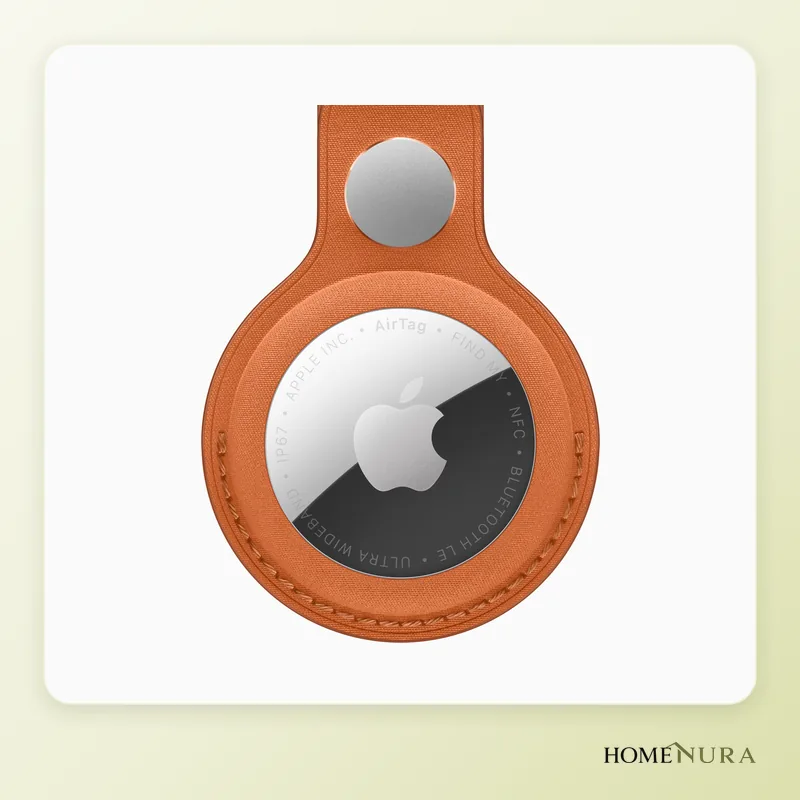
Apple AirTag (2nd generation)
Very dense Apple Find My network, UWB Precision Finding up to 50% farther, louder speaker, replaceable CR2032 battery and IP67.
Photo: © Apple
- View on Amazon →
Best for Android and mixed iPhone/Android homes
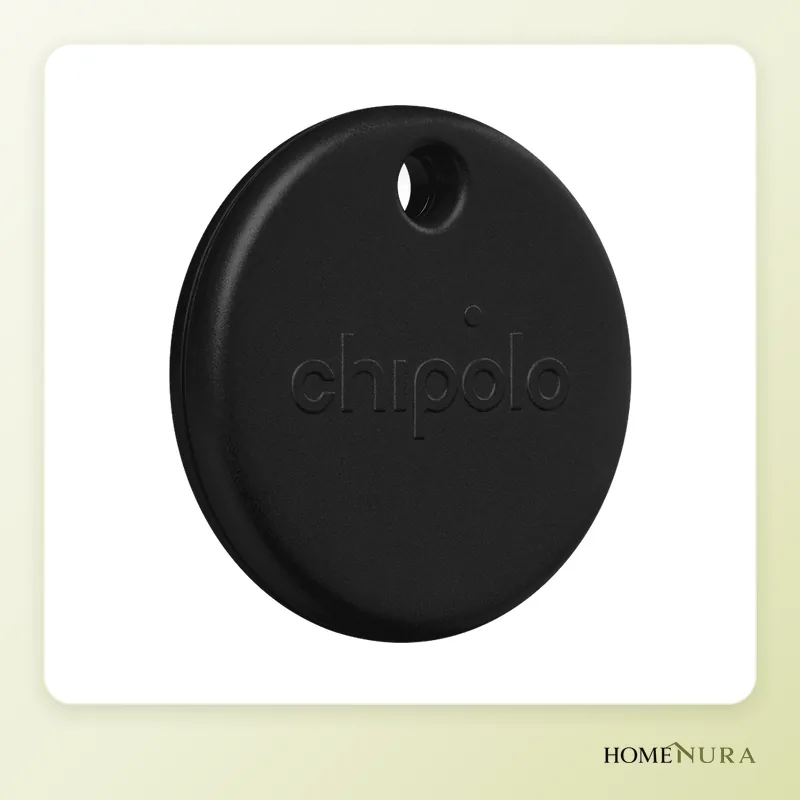
Chipolo POP
Works with Apple Find My or Google Find Hub, a roughly 120 dB ringer that's among the loudest, a replaceable battery, and it's made in Europe.
Photo: © Chipolo
- View on Amazon →
Best value
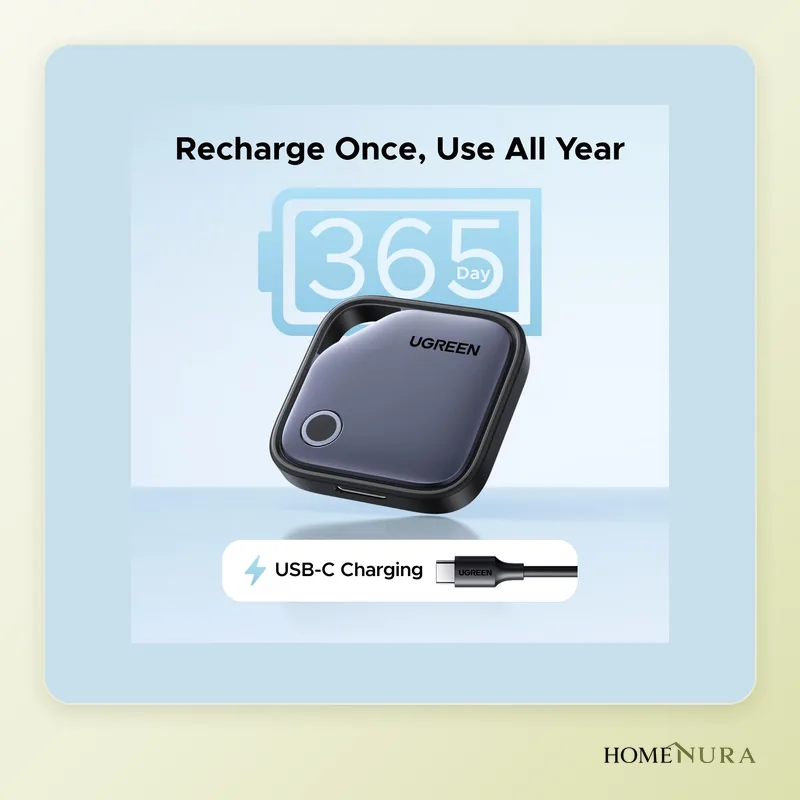
Ugreen FineTrack Duo
Entry-level tracker for Apple or Google, USB‑C rechargeable with up to 12 months per charge, IP68, often sold in multipacks for the whole family.
Photo: © Ugreen


As an Amazon Associate I earn from qualifying purchases. Amazon affiliate links: we earn a commission at no extra cost to you.
The best item tracker in 2026 depends first on the phone you carry. With an iPhone, the Apple AirTag (2nd generation) is still the most complete option; on Android, the Chipolo POP and the Ugreen FineTrack Duo tap into Google’s Find Hub network. Samsung Galaxy owners should look at the Galaxy SmartTag2, built for SmartThings Find.
This comparison draws on manufacturer specs, reviews from the tech press and verified owner reviews. It covers keys, bags, suitcases and wallets, and explains the anti-stalking alerts that now work across iOS and Android. For the full lineup, browse our item trackers section.
How does an item tracker work?
A Bluetooth tracker has no GPS and no SIM card. It sends out a signal your phone can pick up within a few dozen yards. Beyond that, it relies on a crowdsourced network: any compatible smartphone that passes nearby anonymously reports the tag’s location and sends it, encrypted, to the owner. The more devices on the network, the more often the location updates.
Three big networks dominate:
- Apple Find My: powered by iPhones, iPads and Macs around the world. It’s open to AirTag and to accessories certified “Works with Apple Find My.”
- Google Find Hub: formerly “Find My Device” and renamed Find Hub in 2025, it relies on Android phones running Google services. It works with certified trackers from Chipolo, Pebblebee, Ugreen and others.
- Samsung SmartThings Find: limited to Galaxy phones, it relies on Samsung’s own large user base.
Tile runs its own network through the Tile and Life360 apps, on both iOS and Android, but with far fewer devices relaying locations.
Models mentioned in this guide
- Samsung Galaxy SmartTag2View on Amazon →
- Pebblebee Clip UniversalView on Amazon →
Photos: © Apple, © Chipolo, © Ugreen
As an Amazon Associate I earn from qualifying purchases. Amazon affiliate links: we earn a commission at no extra cost to you.
How to choose
1. Your phone’s ecosystem
This is the deciding factor. An AirTag can’t be set up on Android, and a SmartTag2 requires a Galaxy phone. So-called “universal” trackers (Chipolo POP, Pebblebee Universal, Ugreen FineTrack Duo) work with Apple Find My or Google Find Hub, but not both at once: you pick the network during setup and have to reset the tag to switch. That makes them a smart fit for households with both iPhones and Android phones, or if you plan to switch phones.
2. Battery: coin cell or rechargeable
Models that run on a CR2032 coin cell (AirTag, SmartTag2, Chipolo POP, Tile Pro) last about a year, sometimes longer, and the battery takes seconds to swap. Rechargeable models (Pebblebee, Ugreen FineTrack Duo, Chipolo CARD) spare you from buying batteries, but you have to remember to charge them over USB‑C or on a Qi wireless pad.
3. Range and precision finding
Claimed Bluetooth range runs from about 65 feet to more than 330 feet (20 to 100+ m) in open air, and much less through walls. The Ultra Wideband (UWB) chips in the AirTag and SmartTag2 add an on-screen arrow and an exact distance on compatible phones, a big help when your keys have slipped under a couch cushion.
4. Ringer volume
A loud speaker saves time when you’re searching the house. Chipolo rates the POP at around 120 dB, one of the loudest on the market; the second-generation AirTag is 50% louder than the original.
5. Form factor and water resistance
For keys, a tracker with a built-in hole or loop saves you from buying a holder. For a wallet, a card-shaped tracker just a few millimeters thick is the way to go. An IP67 or IP68 rating is reassuring for a bag that gets caught in the rain.
The best item trackers of 2026
Apple AirTag (2nd generation): the benchmark for iPhone
Unveiled in January 2026, the new AirTag keeps the original’s pebble shape, so every existing accessory still fits, but adds Apple’s second-generation Ultra Wideband chip. According to Apple, Precision Finding works up to 50% farther away, Bluetooth range is longer and the speaker is 50% louder. A welcome addition: Precision Finding now works on Apple Watch too (Series 9 and Ultra 2 or later).
Pros: the densest finding network (Find My), replaceable CR2032 battery, IP67, Lost Mode readable over NFC, and item location sharing with more than 50 airlines if your bag goes missing.
Cons: requires an iPhone or iPad; no attachment hole (you’ll need a keychain holder or a case); Precision Finding unavailable in countries that restrict UWB.
Best for: any iPhone user who wants the most polished option.
Samsung Galaxy SmartTag2: the pick for Galaxy owners
The SmartTag2 has an elongated shape with a large built-in loop, handy on a key ring or a bag strap. It pairs Bluetooth 5.3 with UWB and claims a range of up to 390 feet (120 m) and up to 500 days of battery life from its replaceable CR2032 cell. It carries an IP67 rating.
Pros: built-in loop, long battery life, UWB finding on compatible Galaxy phones, programmable button to control SmartThings devices.
Cons: works only with Samsung Galaxy phones; it can’t be used with an iPhone or another brand of Android phone.
Best for: Galaxy households and anyone already using SmartThings.
Chipolo POP: the loudest, for Android or iPhone
Designed and made in Europe by Slovenian brand Chipolo, the POP works with either Apple Find My or Google Find Hub. Its ringer, rated at around 120 dB, is one of the loudest you can get. The replaceable CR2032 battery lasts about a year, and claimed Bluetooth range reaches about 300 feet (90 m).
Pros: very loud, works with both major networks, built-in attachment hole, plenty of colors.
Cons: only IP55 (splashes and dust), no UWB, one network at a time.
Best for: Android users who want a real AirTag alternative, and households that mix iPhone and Android.
Pebblebee Clip Universal: rechargeable, with a built-in light
Pebblebee’s Clip Universal was one of the first trackers to work with either Apple Find My or Google Find Hub. Its USB‑C rechargeable battery lasts up to 12 months per charge, according to the manufacturer, and an LED helps you spot it in the dark.
Pros: no batteries to buy, LED light, handy clip, splash resistant.
Cons: needs recharging, one network at a time, no UWB.
Best for: people who would rather recharge than replace a coin cell.
Ugreen FineTrack Duo: best value
Ugreen’s FineTrack Duo is certified for Apple Find My and Google Find Hub (one network at a time). It has a USB‑C rechargeable battery rated for up to 12 months and an IP68 rating. It’s often sold in multipacks, which makes it easy to tag things for the whole family.
Pros: budget-friendly, IP68, rechargeable, works with both networks.
Cons: modest direct Bluetooth range, plainer finish than premium models, no UWB.
Best for: tight budgets and tagging several items at once.
Tile Pro: independent of Apple and Google
The Tile Pro (2024 edition) runs through the Tile or Life360 app on both iOS and Android. It claims up to 500 feet (150 m) of range, IP68 protection, a loud ringer and a replaceable battery that lasts about a year. Its multifunction button can also ring your phone.
Pros: works with any smartphone, long range, rugged.
Cons: its crowdsourced network is much smaller than Apple’s or Google’s; some Life360 features depend on what’s offered in your country.
Best for: families already on Life360, or anyone who wants the same tracker across phones from different brands.
Side-by-side comparison
| Model | Network | Power | Water resistance | Best for |
|---|---|---|---|---|
| Apple AirTag (2nd generation) | Apple Find My + UWB | CR2032 coin cell | IP67 | iPhone, luggage |
| Samsung Galaxy SmartTag2 | SmartThings Find + UWB | CR2032 coin cell | IP67 | Galaxy phones |
| Chipolo POP | Apple or Google | CR2032 coin cell | IP55 | Very loud ringer |
| Pebblebee Clip Universal | Apple or Google | USB‑C rechargeable | Splash resistant | No batteries, LED |
| Ugreen FineTrack Duo | Apple or Google | USB‑C rechargeable | IP68 | Budget, multipacks |
| Tile Pro | Tile / Life360 | Replaceable battery | IP68 | Any smartphone |
Wallets: go with a card-shaped tracker
A pebble-style tag leaves a bulge in your wallet. Credit card–sized trackers are far more discreet: the Chipolo CARD (Apple or Google, Qi wireless charging, IP67), the Pebblebee Card Universal (rechargeable, up to 18 months claimed) or the Ugreen FineTrack Slim, about 0.07 in (1.7 mm) thick and compatible with Apple Find My. Apple and Samsung don’t make a card version.
Suitcases and luggage: smart habits
- Put the tracker inside your suitcase, in a zipped pocket, rather than on the outside, where it can get torn off.
- With an AirTag, Share Item Location lets you send a temporary link to the baggage service team at participating airlines.
- Small coin-cell trackers are generally allowed in checked bags, but check your airline’s rules, especially for rechargeable models.
- Keep in mind that location updates depend on smartphones passing by: in a closed baggage-handling area, the position may not refresh.
Anti-stalking alerts: what you need to know
Apple and Google jointly developed a common specification for detecting unwanted location trackers. Since iOS 17.5, and on Android 6.0 or later, your phone alerts you if an unknown compatible tracker (an AirTag or a certified accessory) seems to be traveling with you, whatever platform it’s paired with. On Android, Find Hub also lets you run a manual scan. Trackers regularly rotate their Bluetooth identifier to protect the owner’s privacy.
The practical upshot: a tracker isn’t meant for following a person, and tracking someone without their knowledge is illegal in many countries. For pets, these alerts can also go off on passersby’s phones; a dedicated GPS collar is a better choice.
Mistakes to avoid
- Buying for the wrong ecosystem: check compatibility first, especially if it’s a gift.
- Assuming a universal tracker works on two networks at once: you have to pick one.
- Forgetting how you’ll attach it: the AirTag has no hole, so plan on a keychain holder.
- Leaving coin cells within kids’ reach: a swallowed CR2032 is dangerous; store spare batteries up high and choose models with a secure battery compartment.
- Turning off notifications: without them, you get neither left-behind alerts nor anti-stalking alerts.
The bottom line
With an iPhone, the Apple AirTag (2nd generation) is the best choice: a very dense network, improved Precision Finding and location sharing with airlines. On Android, the Chipolo POP stands out for its ringer and dual compatibility, while the Ugreen FineTrack Duo is the best way to tag several items on a budget. Galaxy owners should go with the SmartTag2. To take your home’s protection further, read our smart home security guide and our in-depth look at home security systems with no monthly fee.
Frequently asked questions
Does an AirTag work with an Android phone?
What’s the real-world range of a Bluetooth tracker?
Can a tracker work with both an iPhone and an Android phone?
How long does an item tracker’s battery last?
Can I put a tracker in checked luggage?
How can I tell if someone is using a tracker to follow me?
From our complete guide
Home Security →Our recommendations
- Samsung Galaxy SmartTag2View on Amazon →
- Pebblebee Clip UniversalView on Amazon →
Photos: © Apple, © Chipolo, © Ugreen
As an Amazon Associate I earn from qualifying purchases. Amazon affiliate links: we earn a commission at no extra cost to you.


