Matter and Thread Explained: The Smart Home Standard in 2026
Matter lets smart devices from different brands talk to each other, and Thread links them in a low-power mesh. Versions, Thread border routers by ecosystem, the IKEA DIRIGERA update and which hub to pick in 2026.

Quick answer
Which Matter and Thread hub should you choose in 2026?
- View on Amazon →
Best overall
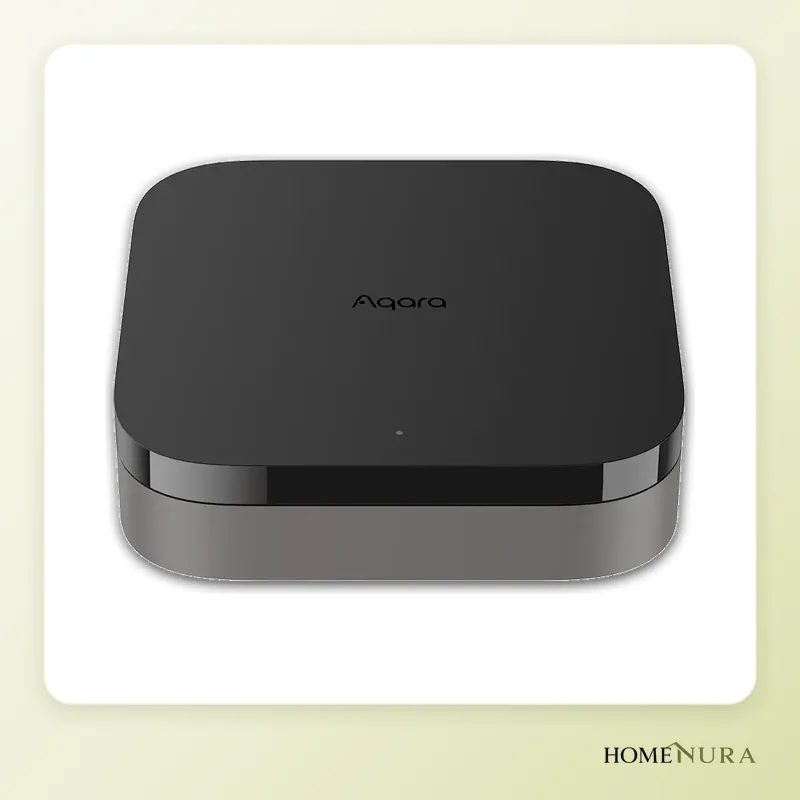
Aqara Hub M3
Matter controller, Thread border router, Zigbee hub and Ethernet/PoE in one, compatible with every major ecosystem.
Photo: © Aqara
- View on Amazon →
Best value
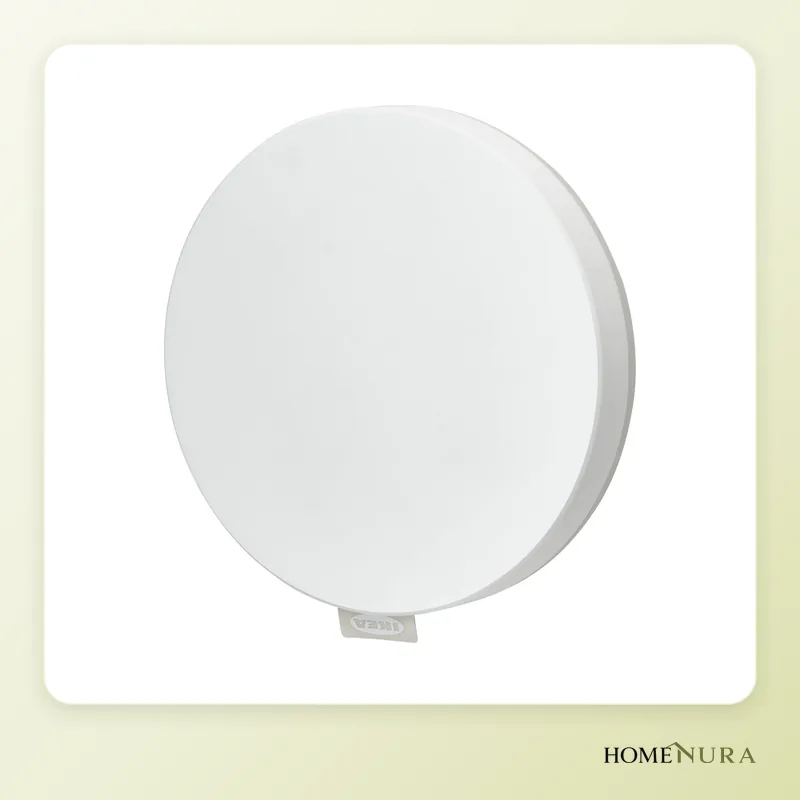
IKEA DIRIGERA
Since its July 2025 update, it's a Matter controller and Thread border router, on top of running IKEA’s Zigbee lighting.
Photo: © Inter IKEA Systems B.V.
- View on Amazon →
Best for iPhone users
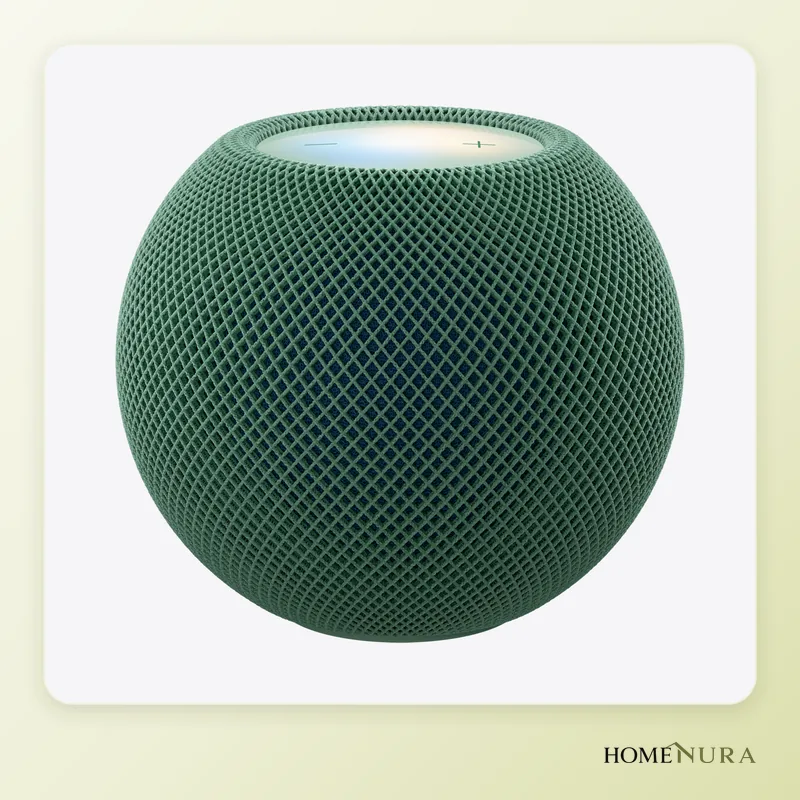
Apple HomePod mini
A Siri speaker, Apple Home hub and Thread border router: the simplest way to get started with Matter in Apple's ecosystem.
Photo: © Apple


As an Amazon Associate I earn from qualifying purchases. Amazon affiliate links: we earn a commission at no extra cost to you.
Matter is a common language that lets a smart device work with Apple Home, Google Home, Alexa and SmartThings at the same time, and Thread is the low-power wireless network many of those devices use to talk to each other. To use them in 2026, you need a Matter controller and, for Thread devices, a Thread border router: often a smart speaker, smart display or hub you already own.
This guide explains what the two standards actually do, where each version stands, which devices act as border routers in each ecosystem and which hub to pick. It’s based on specifications published by the Connectivity Standards Alliance (CSA) and the Thread Group, manufacturer documentation, independent reviews and verified owner feedback. To compare the hubs available, see our smart home hubs page.
What exactly is Matter?
Matter is an open application standard managed by the Connectivity Standards Alliance, whose members include Apple, Google, Amazon, Samsung, IKEA, Signify (Philips Hue) and Eve. It defines how a device describes what it can do (a light, a plug, a thermostat…) and how a controller sends it commands. Three principles set it apart from the old walled-garden ecosystems:
- Local control: commands travel over your home network. Turning on a Matter light from the app doesn’t depend on a remote server, so the system responds quickly and keeps working during an internet outage (remote access and some voice assistants still rely on the cloud).
- Multi-admin: one device can be added to several ecosystems at once, for example Apple Home for you and Google Home for someone else in your household.
- Built-in security: every certified device has a verifiable identity, and traffic is encrypted.
Matter versions at a glance
Matter 1.0 arrived in late 2022 with support for lighting, plugs, locks, sensors and thermostats. Later versions broadened the scope: robot vacuums and major appliances (1.2), energy reporting and cooking appliances (1.3), heat pumps, home batteries and water heaters (1.4). Matter 1.5, published in November 2025, added cameras, along with gates, garage doors and window coverings. Matter 1.6, published in June 2026, brings NFC setup, “Joint Fabric” (which makes it easier to share one network across several platforms) and thermostat suggestions.
Keep in mind that a category existing in the spec doesn’t mean your app supports it yet. Each ecosystem rolls out new device types on its own schedule, and advanced features (vacuum maps, video history, detailed settings) often stay in the manufacturer’s app.
Models mentioned in this guide
- Amazon Echo Dot MaxView on Amazon →
- Google Nest Hub (2nd gen)View on Amazon →
Photos: © Aqara, © Inter IKEA Systems B.V., © Apple
As an Amazon Associate I earn from qualifying purchases. Amazon affiliate links: we earn a commission at no extra cost to you.
Thread, the network that carries Matter
Matter can run over Wi-Fi, Ethernet or Thread. Thread is a low-power, IPv6-based wireless network designed for small devices: sensors, bulbs, plugs, smart radiator valves and locks.
- A mesh network: devices on constant power (plugs, bulbs) relay messages for the others. The more of them you have, the wider the coverage.
- Low power draw: battery-powered sensors can sleep for long stretches, which makes Thread a good fit for door/window and temperature sensors.
- The border router: this is the bridge between the Thread network and your Wi-Fi/Ethernet network. Without one, you can’t add a Matter-over-Thread device. Having more than one border router improves reliability.
Thread 1.4 fixes a real problem: before it, an Apple border router and a Google border router could create two separate Thread networks in the same home. Thread 1.4 standardizes how network credentials are shared across brands. Since January 1, 2026, it has been the only version under which new border routers can be certified, but devices already in people’s homes are getting the update at different speeds depending on the brand.
Which devices are Thread border routers?
| Ecosystem | Thread border routers (and Matter controllers) |
|---|---|
| Apple Home | HomePod mini, HomePod (2nd generation), Apple TV 4K (2nd generation, and 3rd generation Wi-Fi + Ethernet; the Wi-Fi-only 3rd-generation model has no Thread) |
| Google Home | Nest Hub (2nd generation), Nest Hub Max, Nest Wifi Pro, Google TV Streamer |
| Amazon Alexa | Echo (4th generation), Echo Dot Max, Echo Studio (2025), Echo Show 8 (3rd generation) and Echo Show 11, Echo Hub, plus several eero routers |
| IKEA | DIRIGERA hub, since the July 2025 software update |
| Aqara | Hub M3 |
Older or entry-level models (the standard Echo Dot, Nest Mini, first-generation Nest Hub) can control Wi-Fi Matter devices but aren’t Thread border routers. Check your device’s specs before you buy Thread products.
The IKEA DIRIGERA case: what changed
IKEA’s DIRIGERA hub started out as a Zigbee hub that could expose IKEA products to other ecosystems through a Matter bridge. In July 2025, update 2.805.6 turned it into a Matter controller (it can add and automate other brands’ Matter devices in the IKEA Home smart app) and switched on its Thread radio, making it a border router. The controller feature launched as a beta and has to be turned on in the app’s settings.
Since early 2026, IKEA has also been selling a new lineup of around 20 native Matter-over-Thread products, including KAJPLATS bulbs, BILRESA remotes, the MYGGSPRAY motion sensor and the TIMMERFLOTTE temperature and humidity sensor. They can join Apple Home, Google Home, Alexa or SmartThings directly through any Thread border router, no DIRIGERA required. Older TRADFRI bulbs stay on Zigbee and need DIRIGERA to show up in Matter.
How to choose a Matter and Thread hub
- Your main ecosystem: the voice assistant and app you use every day matter more than the spec sheet.
- A built-in Thread border router: essential if you plan to use Thread sensors and bulbs.
- Zigbee support too: useful if you already own Zigbee products (Aqara, IKEA TRADFRI, Hue); some hubs bridge them into Matter.
- Thread 1.4: makes it easier for border routers from different brands to coexist.
- Local automations: make sure they run on the hub itself, not just in the cloud.
The best Matter hubs and devices for 2026
1. Aqara Hub M3 — best overall
The Hub M3 combines a Matter controller, Thread border router, Zigbee hub, IR blaster and Ethernet port with optional PoE power. It bridges Aqara’s Zigbee sensors into Matter and runs automations locally.
Pros: the most versatile pick here, works with every major ecosystem, stable wired connection. Cons: detailed setup happens in the Aqara app, which is more technical. Best for: homes that mix several brands or already use Zigbee sensors.
2. IKEA DIRIGERA — best value
A Zigbee hub and Matter bridge that, thanks to its update, is now also a Matter controller and Thread border router. It’s the natural starting point for IKEA lighting, old and new.
Pros: affordable, handles existing TRADFRI products and the new Thread lineup. Cons: supported device types are still limited, and automations are less advanced than Aqara’s. Best for: homes building their lighting around IKEA.
3. Apple HomePod mini — for iPhone users
The HomePod mini is a Siri speaker, an Apple Home hub and a Thread border router in one. It’s one of the simplest ways to get started with Matter in the Apple world.
Pros: very easy setup from an iPhone, local automations. Cons: no Zigbee, and the Home app requires an Apple device. Best for: households that already use iPhones.
4. Amazon Echo Dot Max — for Alexa users
Launched in late 2025, the Echo Dot Max packs a Matter, Thread and Zigbee smart home hub into a compact speaker with fuller sound than the standard Echo Dot.
Pros: Thread and Zigbee with no extra hub, a huge catalog of Alexa-compatible devices. Cons: the new Alexa+ features are rolling out country by country and aren’t available everywhere yet. Best for: people who already run their home by voice with Alexa.
5. Google Nest Hub (2nd gen) — for the Google ecosystem
A smart display with Google Assistant that acts as a Matter controller and Thread border router for Google Home.
Pros: handy screen for seeing and controlling your devices, tight Android integration. Cons: no Zigbee, and the hardware is showing its age. Best for: Android households that want a control screen in the kitchen or living room.
6. Eve Energy (Matter) — the go-to Thread device
Not a hub but a Matter-over-Thread smart plug with energy monitoring that works with any Thread border router and Matter controller. It also extends the Thread mesh for your other devices.
Pros: no cloud and no required account, works with all four major ecosystems. Cons: bulkier than a mini Wi-Fi plug. Best for: a first Thread device to confirm everything works. See also our smart home hub comparison.
Comparison table
| Model | Role | Protocols | Best for |
|---|---|---|---|
| Aqara Hub M3 | Matter controller, Thread border router, bridge | Thread, Zigbee, Wi-Fi, Ethernet/PoE, IR | Multi-brand setups |
| IKEA DIRIGERA | Matter controller, Thread border router, bridge | Thread, Zigbee, Wi-Fi, Ethernet | IKEA lighting |
| Apple HomePod mini | Apple Home hub, Thread border router | Thread, Wi-Fi | iPhone households |
| Amazon Echo Dot Max | Matter controller, Thread border router | Thread, Zigbee, Wi-Fi | Alexa users |
| Google Nest Hub (2nd gen) | Matter controller, Thread border router | Thread, Wi-Fi | Android households |
| Eve Energy (Matter) | Plug with energy monitoring, Thread router | Thread | First Thread device |
Mistakes to avoid
- Assuming “Matter compatible” means “every feature”: the essentials run through Matter, but advanced settings sometimes stay in the manufacturer’s app.
- Buying Thread devices without a border router: first make sure your speaker, display or hub has one built in.
- Mixing up Zigbee and Thread: a standard Hue or TRADFRI bulb uses Zigbee and needs a bridge to join Matter.
- Tossing the setup code: hang on to each device’s QR code or 11-digit code; you’ll need it after a reset.
- Going all in on Matter cameras right away: support has existed since Matter 1.5, but compatible models and apps are still few and far between.
Setup tips
- Update your hub or speaker before you add your first device.
- Put the border router in a central spot, and add plugged-in Thread devices to extend the mesh.
- Add each device to your main ecosystem, then share it with the others using the “pair another service” option or a temporary pairing code.
- Leave Bluetooth on during pairing: your phone often uses it for the initial handshake.
For more on lighting, read our smart lighting comparison.
The bottom line
In 2026, Matter and Thread deliver on their main promise: you can pick devices without worrying about the ecosystem. If you’re starting from scratch with several brands, the Aqara Hub M3 is the most complete hub. On a tight budget with IKEA lighting, the updated DIRIGERA covers the essentials. And if you’re already in the Apple, Amazon or Google camp, your HomePod mini, Echo Dot Max or Nest Hub is often all you need to get started: add a plug such as the Eve Energy to build out your Thread network.
Frequently asked questions
Do I need a hub to use Matter?
What is the latest version of Matter in 2026?
Is the IKEA DIRIGERA a Thread border router?
Does Matter work without an internet connection?
What is the difference between Matter, Thread and Zigbee?
Can I use several border routers from different brands?
From our complete guide
Energy & Smart Home →Our recommendations
- Amazon Echo Dot MaxView on Amazon →
- Google Nest Hub (2nd gen)View on Amazon →
Photos: © Aqara, © Inter IKEA Systems B.V., © Apple
As an Amazon Associate I earn from qualifying purchases. Amazon affiliate links: we earn a commission at no extra cost to you.


