Best Indoor Security Cameras With No Subscription 2026: Top 5 With Local Storage
The 5 best indoor security cameras with no subscription in 2026: Eufy Indoor Cam E220, TP-Link Tapo C220, Reolink E1 Pro, Aqara Camera Hub G3 and Xiaomi Mi 360° Camera (1080p), compared on microSD storage, pan/tilt, smart detection and privacy.

Quick answer
What is the best indoor security camera without a subscription in 2026?
- View on Amazon →
Best overall
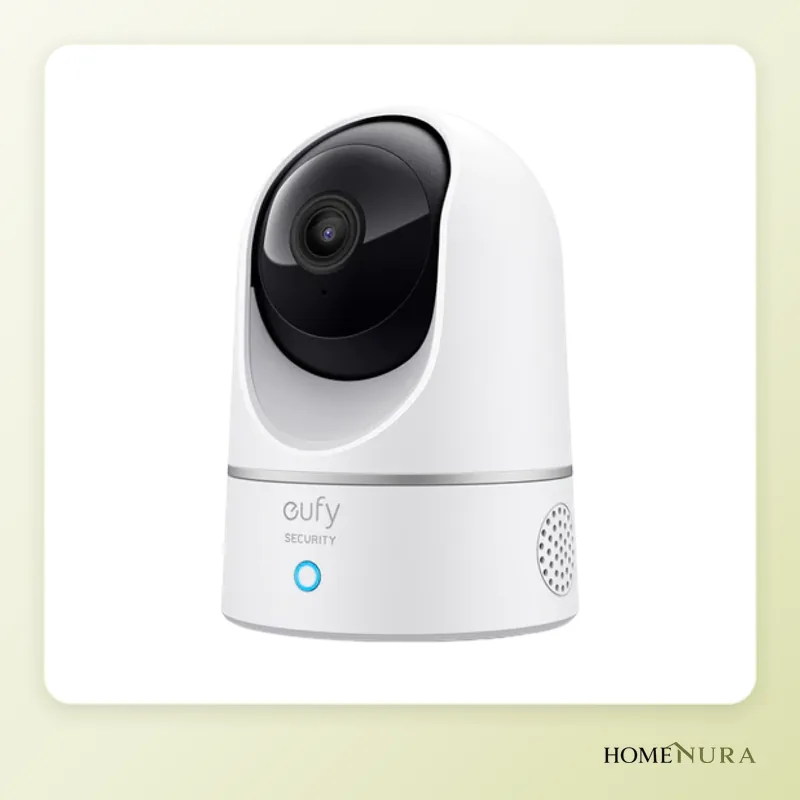
Eufy Indoor Cam E220
2K video, 360° pan/tilt, person, pet and baby-crying detection, microSD up to 128 GB, and HomeKit, Google and Alexa support.
Photo: © eufy (Anker Innovations)
- View on Amazon →
Best value
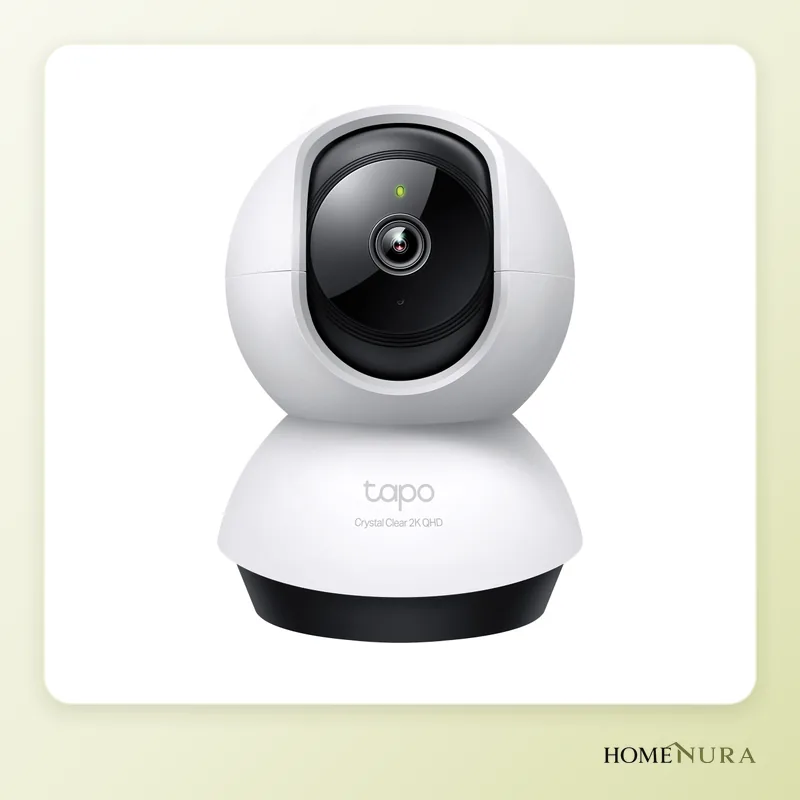
TP-Link Tapo C220
A well-equipped entry-level camera: 2K QHD, 360° pan/tilt, a wide range of smart detection and microSD cards up to 512 GB.
Photo: © TP-Link
- View on Amazon →
Best for NAS storage
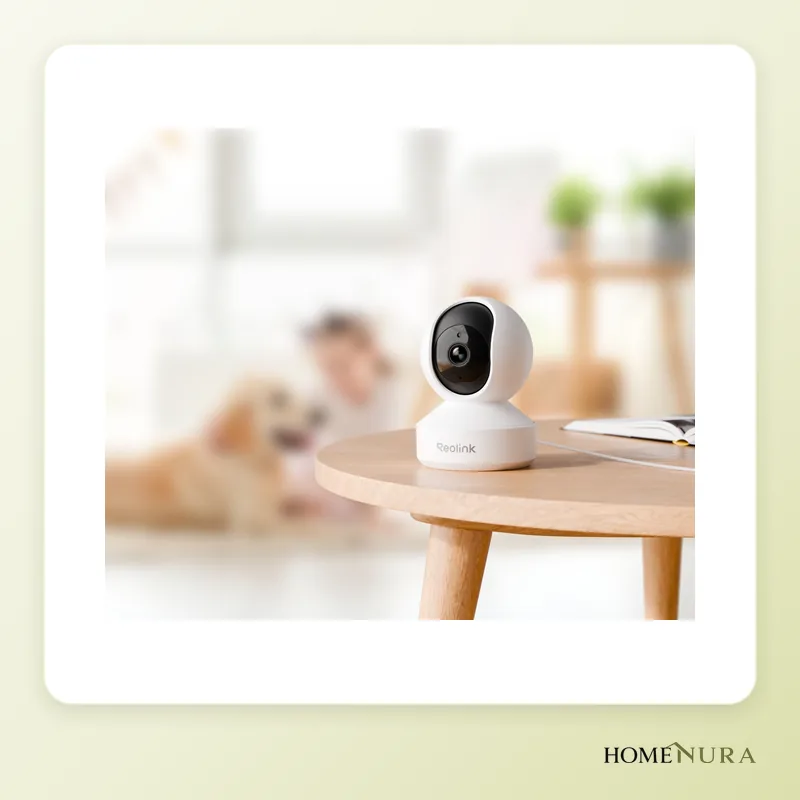
Reolink E1 Pro
5 MP video, dual-band Wi-Fi and, on top of microSD, the option to send footage to a NAS over FTP or to a Reolink recorder.
Photo: © Reolink


As an Amazon Associate I earn from qualifying purchases. Amazon affiliate links: we earn a commission at no extra cost to you.
The best indoor security camera with no subscription in 2026 is the Eufy Indoor Cam E220: 2K video, 360° pan/tilt, person, pet and baby-crying detection, and recording to a microSD card with no monthly fee. For the best value, the TP-Link Tapo C220 records in 2K QHD and takes microSD cards up to 512 GB; to archive footage on a NAS, the Reolink E1 Pro is the most complete option.
Every camera in this comparison records locally, with no required subscription. Manufacturers often offer an optional cloud plan, but you can skip it: your footage stays at home, on the memory card or on your own server. This guide is based on manufacturer specs, reviews published by tech media and verified owner feedback. To browse all models, see our indoor security cameras page.
How to choose an indoor camera with no subscription
Local storage: microSD, NAS or recorder
Without a subscription, everything comes down to local storage. A microSD card is the simplest solution: it slots into the camera and records continuously or whenever motion is detected. Check the maximum supported capacity, which ranges from 32 GB to 512 GB depending on the model. Some cameras can also send footage to a NAS (over FTP) or to a network video recorder (NVR), which protects your recordings even if the camera is stolen or damaged.
Pan and tilt
A motorized camera rotates horizontally and vertically, so a single unit can cover a whole room, and auto-tracking keeps a person or pet in frame. All five models picked here are pan/tilt cameras, the most common format for a living room, hallway or nursery.
Resolution and night vision
Full HD (1080p) is enough for a small room, but 2K (roughly 3 to 4 megapixels) gives you more detail when you zoom in on a face or an object. All models include infrared night vision; a wide aperture (such as the f/1.6 lens on the Reolink E1 Pro) helps in low light.
Smart detection
Basic motion detection sends an alert every time the light changes. Choose a camera that can tell people, pets and even a crying baby apart: you'll get fewer pointless notifications, and your recordings will be easier to review.
Smart home ecosystem
Check compatibility with your assistant (Amazon Alexa, Google Home, Apple Home) and the supported Wi-Fi band. Several entry-level cameras only work on 2.4 GHz, which gives good range but can cause trouble with routers that combine both bands into one network.
Models mentioned in this guide
- Aqara Camera Hub G3View on Amazon →
- Xiaomi Mi 360° Camera (1080p)View on Amazon →
Photos: © eufy (Anker Innovations), © TP-Link, © Reolink
As an Amazon Associate I earn from qualifying purchases. Amazon affiliate links: we earn a commission at no extra cost to you.
The 5 best indoor cameras with no subscription in 2026
1. Eufy Indoor Cam E220: best overall
The Eufy Indoor Cam E220 is the most balanced camera in this comparison. It records in 2K (2304×1296), pans 360° and tilts 96°, and automatically follows detected motion. Its built-in AI recognizes people, pets and a crying baby, which keeps false alerts down.
Footage is stored on a microSD card up to 128 GB, including continuous 24/7 recording. It works with Apple HomeKit, Google Assistant and Amazon Alexa, which is rare in this class and handy for iPhone households (video drops to 1080p in HomeKit).
Pros: crying and pet detection, auto-tracking, HomeKit, Google and Alexa support.
Cons: 2.4 GHz Wi-Fi only, and it has to stay plugged in. Eufy was criticized in 2022 over how some data was sent to the cloud, so review the privacy settings in the app.
Best for: families with kids or pets, and Apple users.
2. TP-Link Tapo C220: best value
The TP-Link Tapo C220 is a very well-equipped entry-level indoor camera. It records in 2K QHD (2560×1440), pans 360° and tilts 114°, and its night vision reaches about 30 ft (9 m). Its smart detection recognizes people, pets and vehicles, as well as a crying baby.
Storage is its standout feature: it takes microSD cards up to 512 GB, enough for many days of recording without a subscription. The Tapo app is easy to use, and the camera works with Amazon Alexa and Google Home.
Pros: 2K QHD, very large microSD capacity, varied detection, simple app.
Cons: 2.4 GHz Wi-Fi only, no Apple Home support.
Best for: anyone who wants a reliable, well-equipped camera without paying for premium, or who needs to cover several rooms.
3. Reolink E1 Pro: best for NAS storage
The Reolink E1 Pro suits people who want full control over their archive. The current version records in 5 megapixels (2880×1616) through an f/1.6 lens, pans 355° and tilts 50°, with horizontal auto-tracking. It detects people, pets and a crying baby.
Its storage options set it apart: a microSD card, uploads to a NAS over FTP, or a connection to a Reolink network video recorder to centralize several cameras. Dual-band Wi-Fi (2.4 and 5 GHz) helps in homes where the 2.4 GHz band is crowded.
Pros: 5 MP resolution, dual-band Wi-Fi, FTP and NVR support, no subscription needed.
Cons: auto-tracking only works horizontally; voice assistant integration is less extensive than on Eufy or Aqara.
Best for: NAS owners and anyone planning to add several Reolink cameras.
Note: older versions of the E1 Pro recorded in 4 MP (2560×1440). Check the resolution listed on the product page.
4. Aqara Camera Hub G3: best for smart home users
The Aqara Camera Hub G3 is both a camera and a smart home hub. It includes a Zigbee 3.0 hub that can control up to 128 Aqara devices (sensors, switches, bulbs) and an infrared blaster to operate a TV or air conditioner. On the video side, it records in 2K (2304×1296) through a 110° lens, pans 340° and tilts 45°.
It recognizes faces and certain hand gestures to trigger automations, and tracks people and pets. Local recording goes to a microSD card up to 128 GB. It supports HomeKit Secure Video, Alexa and Google Home. Keep in mind that HomeKit Secure Video stores clips in iCloud and requires an iCloud+ plan: to stay subscription-free, use the microSD card.
Pros: built-in Zigbee hub, infrared remote control, face and gesture recognition, 2.4 and 5 GHz Wi-Fi.
Cons: premium-priced, and less useful if you don't use Aqara accessories.
Best for: people building a smart home around Aqara or Apple Home.
5. Xiaomi Mi 360° Camera (1080p): best simple budget pick
The Xiaomi Mi 360° Camera (1080p) (formerly sold as the Mi Home Security Camera 360°) is still an entry-level way to keep an eye on a room. It records in Full HD 1080p, offers a 360° horizontal and 108° vertical view, and uses invisible 940 nm infrared LEDs for night vision.
Pros: compact design, full rotation, discreet night vision.
Cons: 1080p only, microSD limited to 32 GB, less refined detection than newer models, requires a Xiaomi account.
Best for: a spare room or occasional use when budget comes first.
Comparison table of indoor cameras with no subscription
| Model | Resolution | Pan / tilt | Local storage | Connectivity | Best for |
|---|---|---|---|---|---|
| Eufy Indoor Cam E220 | 2K (2304×1296) | 360° / 96° | microSD up to 128 GB | 2.4 GHz Wi-Fi, HomeKit, Alexa, Google | Families, Apple users |
| TP-Link Tapo C220 | 2K QHD (2560×1440) | 360° / 114° | microSD up to 512 GB | 2.4 GHz Wi-Fi, Alexa, Google | Best value |
| Reolink E1 Pro | 5 MP (2880×1616) | 355° / 50° | microSD, FTP to NAS, NVR | 2.4 and 5 GHz Wi-Fi | NAS archiving |
| Aqara Camera Hub G3 | 2K (2304×1296) | 340° / 45° | microSD up to 128 GB | 2.4 and 5 GHz Wi-Fi, Zigbee 3.0 hub, HomeKit, Alexa, Google | Aqara and Apple smart homes |
| Xiaomi Mi 360° Camera (1080p) | Full HD (1920×1080) | 360° / 108° | microSD up to 32 GB | 2.4 GHz Wi-Fi, Xiaomi Home | Tight budgets |
Mistakes to avoid
- Buying an outdoor camera for indoor use (or vice versa). A weatherproof bullet camera has no pan/tilt and mounts on a wall, while an indoor camera isn't built for rain. For outdoor use, see our outdoor security camera comparison.
- Using an ordinary microSD card. Constant writing wears out standard cards quickly. Choose a high-endurance card designed for video surveillance, and format it from the camera app.
- Confusing "no subscription" with "no cloud." A camera can record locally while still sending notifications or thumbnails through the manufacturer's servers. Read the privacy settings.
- Ignoring Wi-Fi coverage. A camera placed far from the router will keep dropping out. Check the supported band and the signal strength where you plan to install it.
- Keeping the default password. Turn on two-factor authentication for the app account and install firmware updates.
Installation, privacy and the law
Place the camera on a shelf or up high, facing the entrance to the room, and set detection zones that leave out the windows. Every camera in this comparison lets you turn off monitoring or hide the lens while you're home, with a privacy mode or a schedule.
Recording inside your own home for purely personal use is generally allowed. If you employ someone in your home (a nanny or house cleaner), though, the rules get stricter: in France, for example, you must tell them about the camera, and it shouldn't film them constantly while they work. Laws vary from state to state, so check the rules where you live; telling household staff up front is good practice anywhere. Avoid pointing a camera at the street or into your neighbors' property. To complete your setup, see our no-subscription video doorbell comparison.
The bottom line
For most households, the Eufy Indoor Cam E220 is the best choice: 2K video, full rotation, accurate detection and HomeKit, Google and Alexa support. The TP-Link Tapo C220 is the best value thanks to its 2K QHD resolution and support for 512 GB cards. If you own a NAS, the Reolink E1 Pro is the most complete option for keeping your footage at home. The Aqara Camera Hub G3 stands out if you're building a smart home, and the Xiaomi Mi 360° Camera (1080p) is still a simple option on a tight budget.
Frequently asked questions
Can an indoor camera really work without any subscription?
Which microSD card should I use in a security camera?
What happens if the camera is stolen along with the SD card?
Which no-subscription indoor camera works best with an iPhone?
Can I record a nanny or house cleaner in my home?
Fixed or pan/tilt camera: which is better indoors?
From our complete guide
Home Security →Our recommendations
- Aqara Camera Hub G3View on Amazon →
- Xiaomi Mi 360° Camera (1080p)View on Amazon →
Photos: © eufy (Anker Innovations), © TP-Link, © Reolink
As an Amazon Associate I earn from qualifying purchases. Amazon affiliate links: we earn a commission at no extra cost to you.

